
October 2026 Release Wave: Sound & Cursor Themers, Webcam Head Mouse, Memory, Live Captions & Settings Sync
Twelve Major New Capabilities in One Unified Windows Cockpit
Usually, customizing your Windows desktop, making your PC accessible hands-free, managing multi-monitor brightness and per-app audio, and searching your meeting or reading history require installing half a dozen separate utilities. Each brings its own tray icon, background daemon, and conflicting keyboard shortcuts. In our October 2026 release wave, SlyPilot brings twelve major new free and Pro tools into the same zero-focus-loss cockpit - expanding the built-in voice catalog to over 550 commands (~7,700 spoken phrases) and 21 MCP tools.
1. Sound Themer & Cursor Themer (Free Core + Open Galleries)
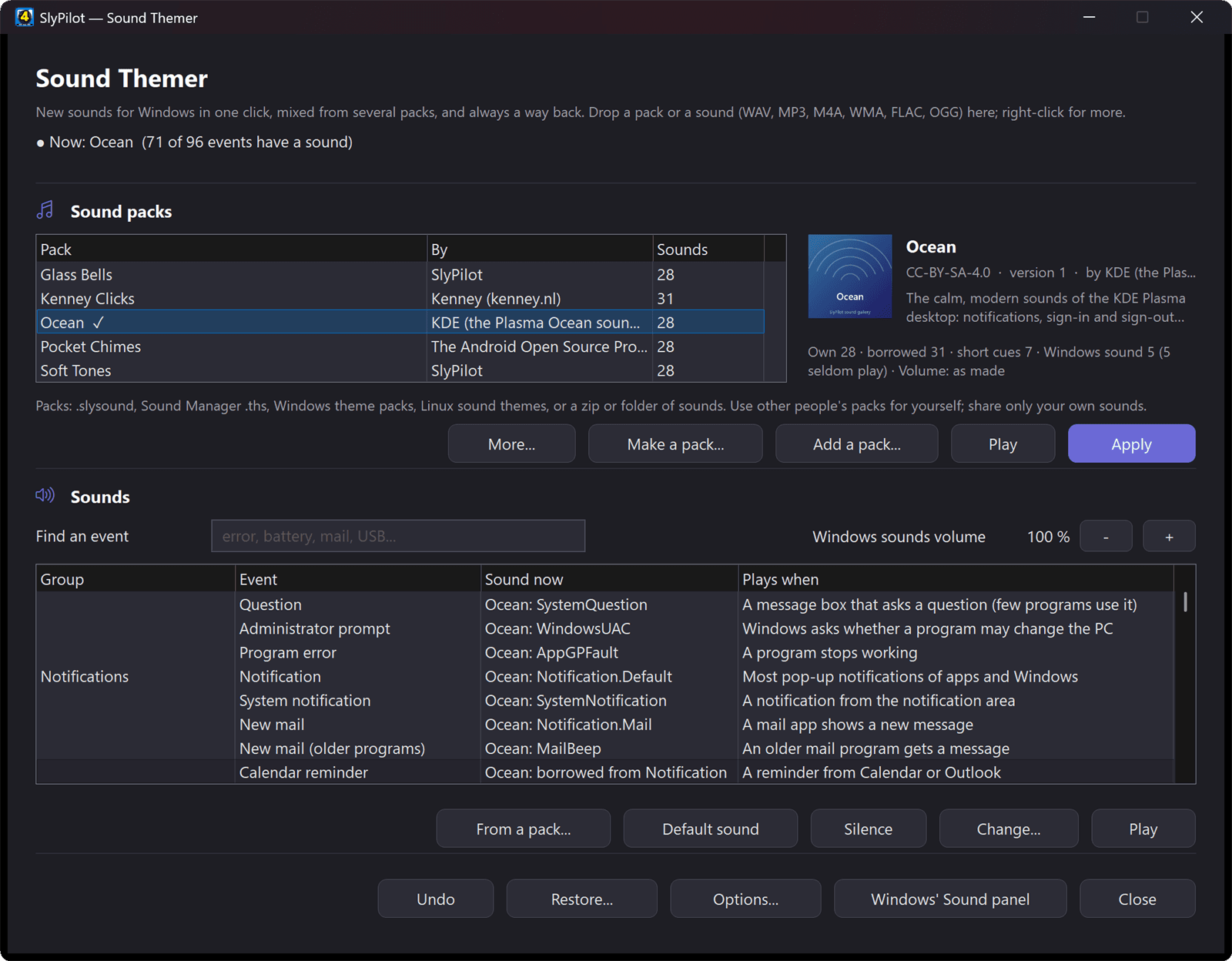
Windows still buries its sound scheme and mouse pointer settings inside legacy 1990s Control Panel dialogs. SlyPilot's new Sound Themer translates cryptically named registry events into plain English ('Device connected', 'Notification', 'Battery low') plus SlyPilot's own cues, lets you install .slysound, .ths, Windows .themepack, and Linux freedesktop sound themes in one click, levels volume across a pack, fills missing cues automatically, and silences schemes during Quiet Hours or fullscreen meetings.
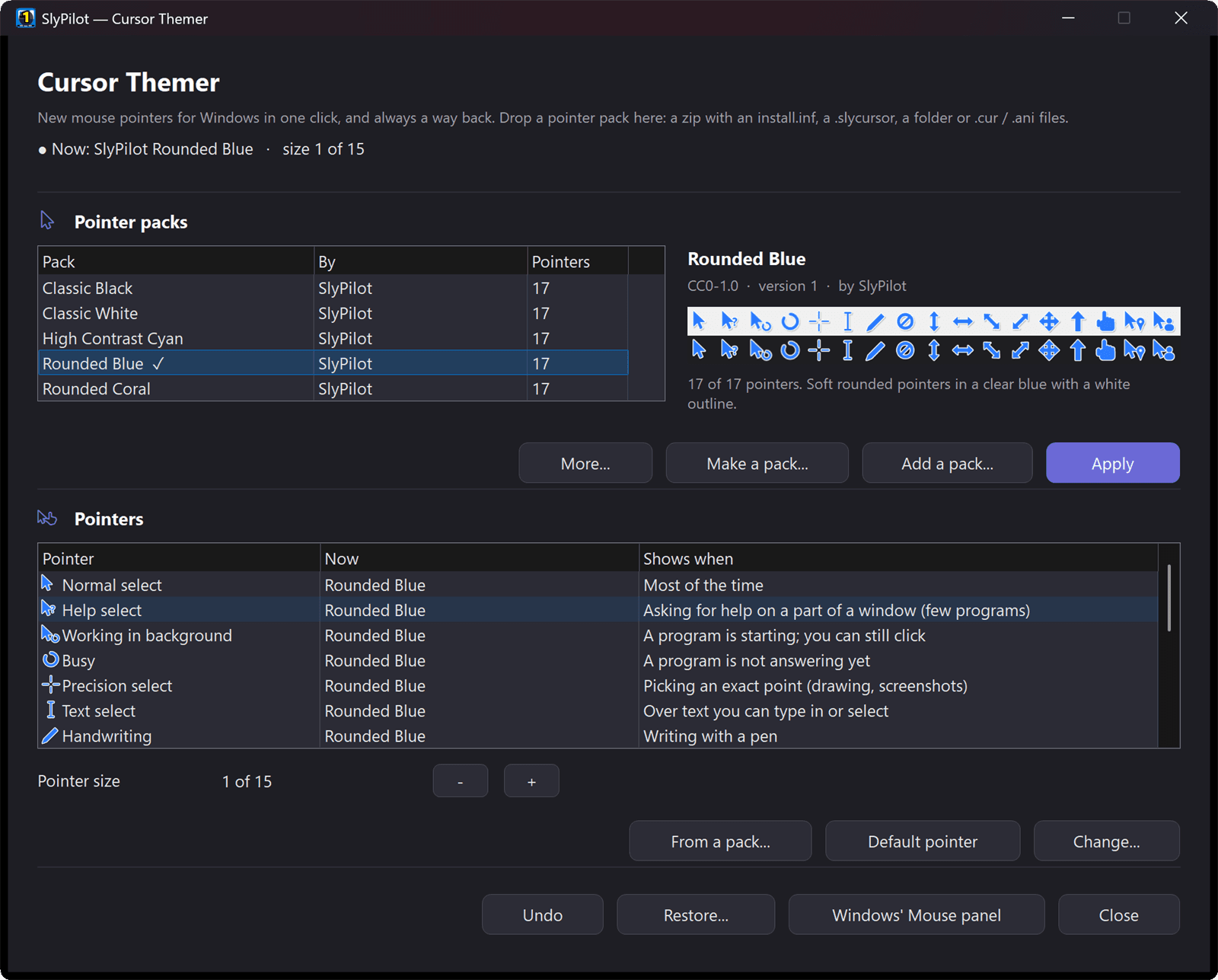
Beside it, the Cursor Themer applies complete 17-role pointer packs under HKCU\Control Panel\Cursors without administrator rights. Its helper (SlyCursor.exe) decodes every .cur, .ani, PNG, or Linux Xcursor file and writes a clean Windows pointer from raw pixels so broken headers never reach your system. You can even generate a custom-colored pointer set on your PC (11 styles, 22 themes, and left-handed sets) or have SlyPilot automatically enlarge your pointer whenever Presenting Mode starts. Both tools connect to our free Sound Gallery and 80-pack Pointer Gallery.
2. Webcam Head Mouse, Explorer File Tools & Display/Audio Mixers (Free Core)
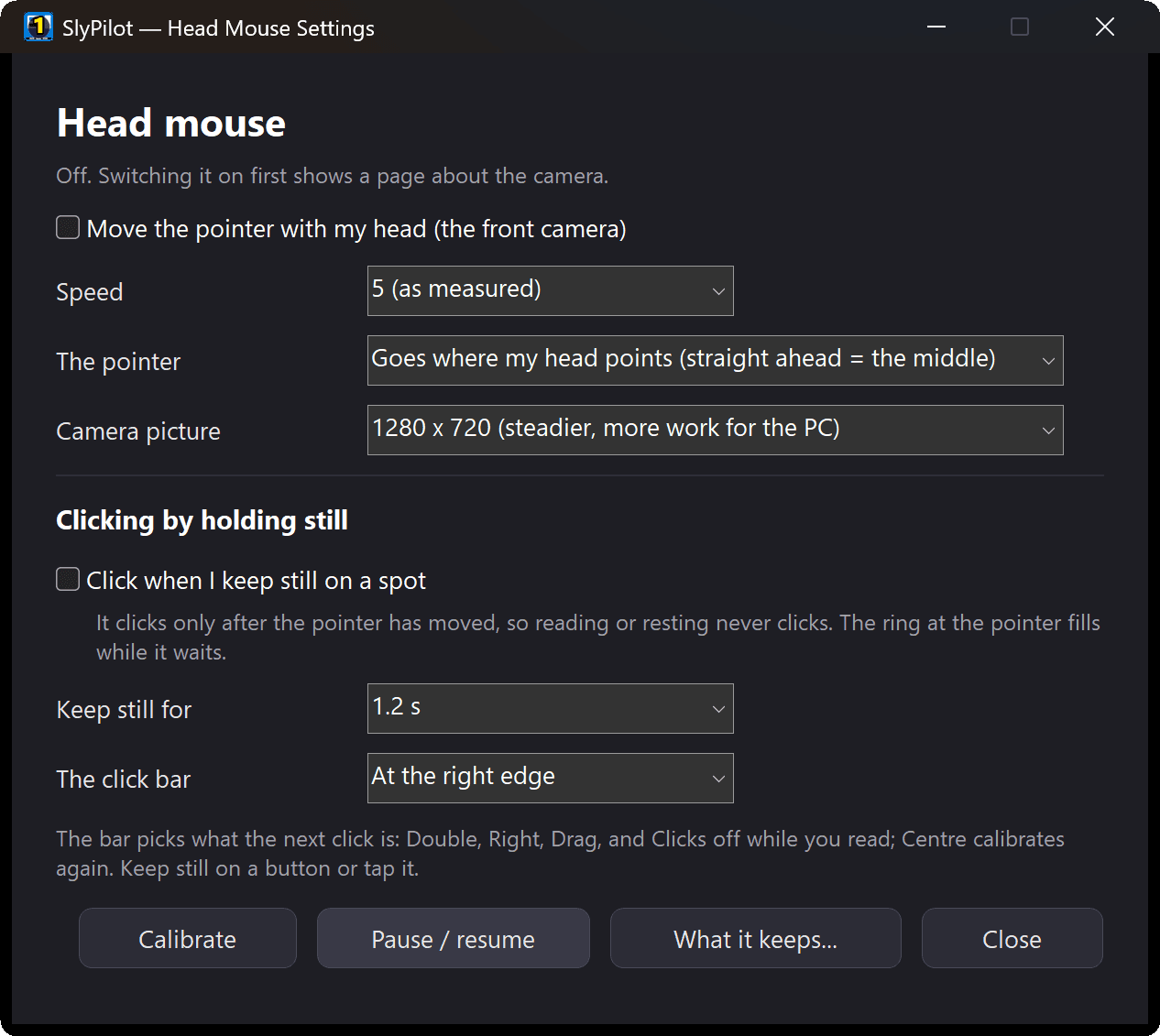
For hands-free accessibility, couch control, or recovery from wrist strain, SlyPilot now includes a built-in Head Mouse (SlyHead.exe) that uses your existing webcam to track head motion smoothly and click when you hold still (dwell click), complete with a floating edge bar for left, right, double, and drag clicks. Combined with over 550 voice commands, you can point with your head and speak to click or dictate without touching a mouse.
For everyday desktop speed, pressing Space on any file in File Explorer now opens a QuickLook-style Peek preview that follows your arrow keys across images, PDFs, Office docs, audio/video, and code. You can search files directly from the Command Palette ('f invoice'), batch-rename or resize selected files by voice with a live before/after preview and one-click undo, adjust per-monitor brightness and scale (Ctrl+Alt+Win+B), and control per-app volume or Bluetooth headphones (Ctrl+Alt+Win+X).
3. Memory, Live Captions & Meeting Copilot, and Settings Sync (SlyPilot Pro)
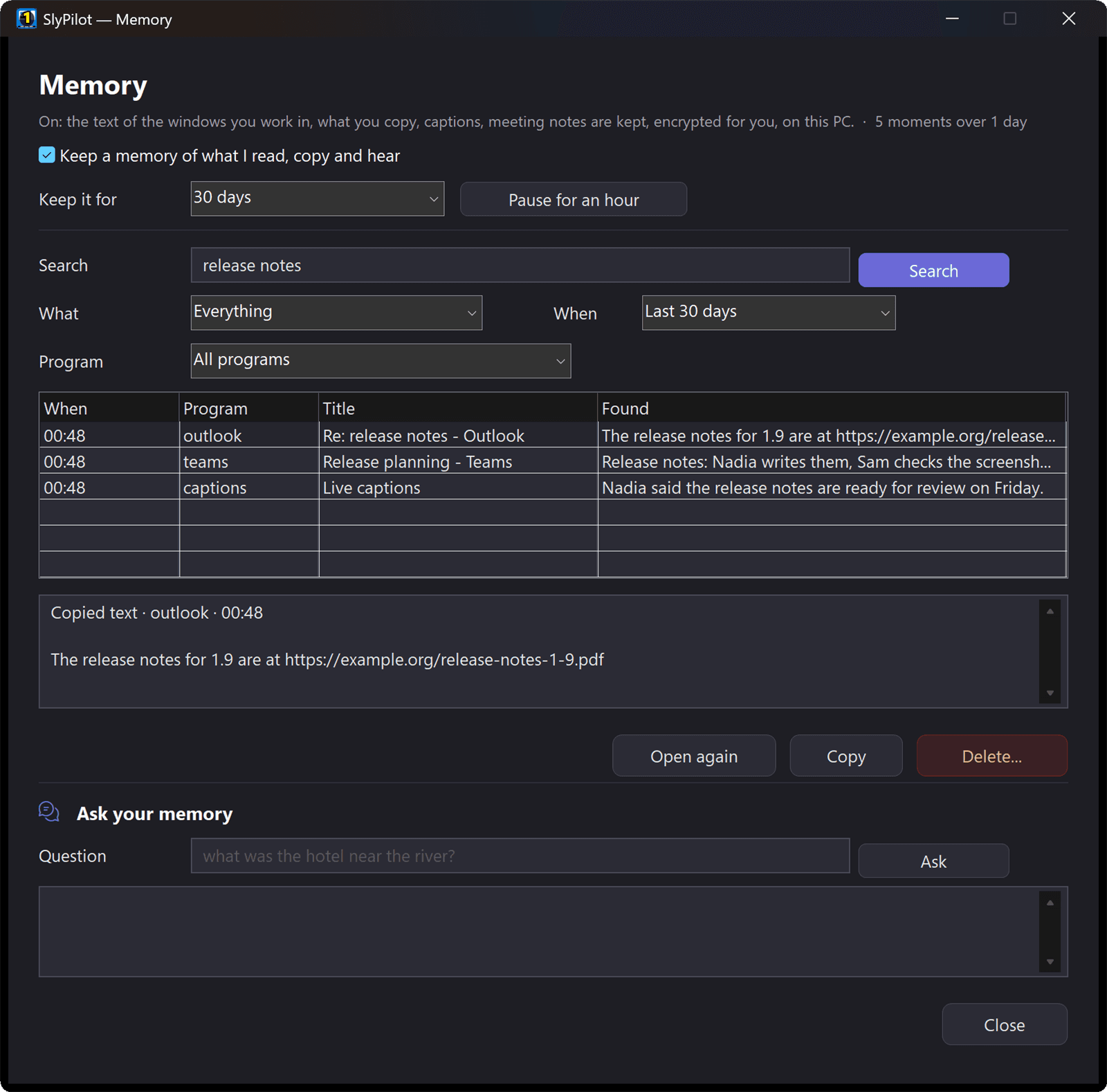
SlyPilot Pro adds three major capabilities designed around strict local privacy. First, Memory ('h' in the palette or Ctrl+Alt+Win+M) lets you search or ask your AI model about anything you saw on screen, copied, or heard in a call - storing text only (never screenshots, never keystrokes), encrypted with your Windows user key (DPAPI), with password managers and private browsing blocked in the open-source MIT core before anything reaches Pro.

Second, Live Captions & Meeting Copilot puts a focus-safe subtitle bar on any monitor for any call or video (with optional live translation) and a quiet corner card with one-tap 'Summary', 'Action items', 'What did they ask?' and 'Catch me up'. Third, Settings Sync keeps your Touch Bar buttons, panels, snippets, macros, and workspaces in step across your personal PCs through any folder you already share (OneDrive, Dropbox, or a network share) without any SlyPilot cloud account.
Explore the full October 2026 release wave today: Download the Free Core (), browse the Sound Gallery and Pointer Gallery, or Unlock SlyPilot Pro ( one-time).
Comments
Leave a Comment
No comments yet. Be the first to share your thoughts!