
SlyPilot: The All-In-One Power-User Cockpit for Windows
Virtual Desktops • Floating Touch Bar • Radial Pie Menu • Over 550 Voice Commands • Head Mouse • Peek, Rename & Resize Files • Key Remap & Mouse Gestures

Virtual Desktops • Floating Touch Bar • Radial Pie Menu • Over 550 Voice Commands • Head Mouse • Peek, Rename & Resize Files • Key Remap & Mouse Gestures • Magnifier, Presenter Tools & Drawing Board • AI Actions on Your Text • MCP Agent Automation • Pro: AI Dictation, Meeting Notes & Live Captions, Memory, Phone Remote, Natural Voices, Settings Sync
Windows 10 / 11 (64-bit) • Free core (MIT licence) with an optional Pro upgrade • Local-first: no accounts, no telemetry in the program • Made for keyboard, touch, pen, Surface Dial, voice and phone
Download info • Explore Features • SlyPilot Pro • Compare • Documentation • Read the Privacy Policy
What is SlyPilot?
SlyPilot puts your whole Windows desktop within reach of whatever is in your hand or in your voice: a finger, a Surface Pen, a Surface Dial, a hotkey, a spoken sentence or the phone in your pocket. A floating Touch Bar switches virtual desktops without ever taking focus from the window you are typing in. A radial menu and a one-tap snap card arrange your windows. Over 550 voice commands run on your own PC, and a head mouse moves the pointer with your head through the camera you already have. Press Space on a file in Explorer to peek at it; say "rename these files" or "resize these pictures". Select any text and ask a language model of your choice to fix, shorten, translate or explain it. Let your AI coding agents drive the desktop through a safe, permissioned API. The optional, one-time SlyPilot Pro adds AI push-to-talk dictation, meeting notes, live captions in any language and a meeting copilot, Memory (find anything you read, copied or heard again), a phone remote, 45 natural voices, a screenshot editor and screen recorder, and settings sync between your PCs.
It is one small program (about 13 MB, about 60 MB of memory when idle), built for people who work across many windows, many desktops, many monitors, a tablet, or a headset, and who would rather not run a dozen separate utilities and subscriptions to get there.
Key architectural guarantee: zero focus loss.
Touching the dock, sliding the radial menu or firing a snap layout never steals focus or disrupts your active text caret. (The command palette, which you type into, is the one deliberate exception.) You stay in the flow, always.
You choose what is on. The Touch Bar, voice commands, dictation, AI actions, meeting notes, the text expander and the phone remote are all off until you switch them on, and nothing is downloaded, recorded or sent anywhere without your yes.
Your First Five Minutes
None of these steps needs an account. The AI parts are optional and ask before they download anything (model downloads take longer than five minutes, of course).
- Run
SlyPilot.exe. A tray icon with your current desktop number appears and a Welcome window lists what you can switch on. Press Show it to put the Touch Bar on screen. - Switch desktops. Tap a number on the bar, or press
Ctrl+Alt+Right/Ctrl+Alt+Left, orCtrl+Alt+1...9. - Press
Ctrl+Alt+Space. The command palette opens: typesnap left,w chrome(jump to a window) ord 3(jump to a desktop) and press Enter. - Arrange windows by touch.
Ctrl+Alt+Zopens the Snap Layouts card;Ctrl+Alt+Ropens the radial menu. - Turn on your voice (optional). In Settings > Voice tick Enable Voice Commands, then say "snap left" or "go to desktop two". It uses the speech recognizer that comes with Windows.
- Dictate (optional). The dictation button, the "dictate" command and the command line open Windows Voice Typing (Windows' own feature; depending on your Windows settings it may use Microsoft's online speech service). With SlyPilot Pro, Tray > Voice Commands > Dictation Settings... sets up AI push-to-talk dictation: SlyPilot offers to set up the local AI speech engines and shows every file, size and source before downloading. Then hold the key, talk, release.
- Ask AI about your text (optional). Tray > AI and Meetings > AI Actions Setup..., pick a model (a small built-in one runs on your PC), select text anywhere and press
Ctrl+Alt+Shift+A. - Pair your phone (optional, SlyPilot Pro). Tray > Utilities > Phone Remote > Pair a Phone..., scan the code, open the link in Chrome on an Android phone.
- Not sure where something is? Press
Ctrl+Alt+Spaceand type?and what you want ("? bigger text", "? record my screen"): the palette names the feature and its shortcut. - Not sure something is working? Tray > Help and Backup > Check my setup... tells you in plain words.
Everything It Does Today
| Pillar | What It Delivers | Learn More |
|---|---|---|
| Virtual Desktops & Workspaces | Fast desktop switching, INI workspace snapshots, optional display-layout memory and auto-launch (both off by default), auto-routing rules, desktop emoji badging, and a Window Peeker whose rows show a live preview of a window on hover, even one on another desktop (password-manager and private windows are never drawn). | Explore Desktops → |
| Touch Bar & Thumb Dock | Floating, magnetic edge-snapping dock that becomes a horizontal bar or a vertical thumb dock. Active-window chip, auto-hiding Peek Pill drawer, hold-to-talk buttons, and per-app button sets that you define. | Explore Touch Bar → |
| Radial Menu & Surface Hardware | Surface Dial rotation and click, a GDI+ feathered radial pie menu, and Surface Pen eraser shortcuts, press-and-hold suppression and hover-to-open. | Explore Radial & Dial → |
| Snap Layouts & Window Tools | 18 touch snap zones, your own zones, proportional cross-monitor flinging, auto-tiling, focus mode, boss-key stash, dimming and off-screen window rescue. | Explore Window Tools → |
| Command Palette, Search & Find a Setting | Ctrl+Alt+Space searches every command, your open windows on all desktops, desktops, snippets and saved meeting notes. Settings has a Find... button (Ctrl+F) that jumps to any setting. | Explore Command Palette → |
| AI Actions on Selected Text | Select text in any program, press Ctrl+Alt+Shift+A (or type a fix, a summarize, a translate german in the palette): a model you choose fixes, rewrites, shortens, translates or explains it, and the answer appears on a small card (Replace / Insert after / Copy). Use a small built-in model that runs on your PC, Ollama or LM Studio, Ollama's cloud, or OpenRouter. Add @screen, @clip or @meeting to ask about text on screen, the clipboard or your last meeting; keep asking with follow-ups; write your own actions; optionally polish what you dictate. Off until set up; an outside service needs a separate tick that names its host. | Explore AI Actions → · Guide → |
| Magnifier & Zoom | The Windows Magnifier (full screen, lens, docked) driven by keys, voice and the command line, plus SlyPilot's own magnifying glass (round, rounded or square, colour filters, follows the pointer or stays where you park it), a typing glass above the text cursor, a strip on a screen edge, a pixel loupe, watched areas, six profiles and a panel of big buttons for touch and pen. Free; the second-screen view, more watched areas and the Auto-Switcher are SlyPilot Pro. | Explore the Magnifier → · Guide → |
| Presenter Tools & Presenting Mode | Spotlight, pointer and click highlight, laser pointer, a bar that shows the shortcuts you press, an on-screen countdown, read-aloud with the line outlined, and Presenting mode: one switch that keeps the PC awake, silences notifications, hides the Touch Bar and icons if you want, and puts everything back. Free. | Explore Presenter Tools → · Guide → |
| Drawing Board | Draw on your screen, or on a still zoomed picture of it, with a pen, a finger or the mouse: arrows, boxes, text, numbered markers, a laser, pages, white and black boards, a page overview, hold-to-tidy shapes and voice words for every tool. Done saves PNGs and a PDF. Free. | Explore the Drawing Board → · Guide → |
| Assistants That Point & Draw | An AI assistant can circle things on your screen, walk you through a task with a tour, draw on the board after your click, run the presenter tools and read your saved meeting notes (you click Allow per file), with its name on everything it draws. Free. | Explore → · Setup guide → |
| Keyboard & Mouse Power Tools | A key remap (CapsLock as Ctrl, a key that runs any command), mouse gestures (right-drag to go back, maximize, switch desktops), Alt+drag from anywhere in a window, a cheat sheet of the program in front when you hold Ctrl, crosshairs through the pointer and a screen ruler that measures in pixels. Free. | Explore Power Tools → |
| Files & Explorer | Space on a file in Explorer shows a large preview that follows the arrow keys; f in the palette finds files; Rename Files and Resize Pictures work on your selection by voice, with a preview and undo; Tidy a folder by your own rules. Free. | Explore File Tools → |
| Displays, Sound & Headphones | Ctrl+Alt+Win+B: the brightness, resolution and main monitor of every screen, kept only when you press Keep. Ctrl+Alt+Win+X: every program's volume, the output device and your Bluetooth headphones. Free. | Explore → |
| Sound Themer | New sounds for Windows: every event in plain words, whole sound packs in one click (a free gallery of 20 packs, Sound Manager packs, Windows theme packs, Linux sound themes), make a pack from a style on your PC, events a pack leaves out filled from its own sounds, quiet hours, Matching Sets with pointers, and one click back to the sounds you had. Free. | Explore the Sound Themer → · Sound gallery → |
| Cursor Themer | New mouse pointers for Windows: every pointer in plain words, packs in one click without administrator rights (every pointer checked and rewritten first), a free gallery of 94 packs (sixteen styles, busy pointers, themes from Halloween to coffee, left-handed sets), pointers drawn by SlyPilot in any colour, Matching Sets with sounds, bigger while presenting, and one click back. Free. | Explore the Cursor Themer → · Pointer gallery → |
| Head Mouse | Move the pointer with your head through the camera you have; it goes where your head points and clicks when you hold still, with voice for everything else. Free. | Explore the Head Mouse → · Guide → |
| Comfort Helpers | Starting profiles, Settings that open on the 11 things most people change, "? what can it do", put a window back, smart breaks and Calm mode. Free. | Explore → |
| Memory (Pro) | Find anything you read, copied or heard on your PC again (h budget invoice), or ask your own AI model about it. Text only, encrypted, on your PC only, off until you switch it on. | Explore Memory → · vs. Recall → |
| Live Captions & Meeting Copilot (Pro) | Captions of any call or video, on any monitor, translated into any language; "What did they ask?" and "Catch me up" on a corner card. No bot joins the call. | Explore → |
| Settings Sync (Pro) | The same SlyPilot on every PC through a folder you already share. No account, no SlyPilot cloud. | Explore → |
| Meeting Notes (Pro) | Ctrl+Alt+Win+T records your microphone ("You") and the sound your PC plays ("Them") into an offline transcript on your PC (SlyMeet), only after you agree. A red indicator stays on screen and cannot be hidden. Optional AI summary with decisions and action items. | Explore Meeting Notes → · Pro → |
| Offline AI Speech & Dictation (Pro) | Push-to-talk or hands-free Whisper and NVIDIA Parakeet transcription on your PC (NVIDIA GPU, other graphics cards or CPU). Live phrase-by-phrase typing, spoken punctuation, "scratch that" voice edits, per-app rules, your own word list, optional AI polish, and 38 languages. (The free core opens Windows Voice Typing for dictation.) | Explore AI Dictation → · Pro → |
| Over 550 Voice Commands | Over 550 built-in commands (about 7,700 spoken phrases; off until you turn them on): desktops, windows, audio, media, "press control shift t", click a control by its name, a numbered screen grid, macros and app packs. | Explore Voice Commands → |
| Natural Voices & Read Aloud (Pro) | 45 neural voices from Kokoro, Piper and Supertonic (SlyTts, downloaded on request, then offline). Read your selection, the clipboard or a rectangle of the screen aloud. | Explore Read Aloud → · Pro → |
| Microphone Mute & "Who Is Listening" | Ctrl+Alt+Win+M mutes every microphone in Windows at once, for every program. A Touch Bar button shows live or muted. An optional pill shows "ON AIR" with the program's name while any program has the microphone open. | Explore Utilities → |
| Text Expander | Type ;sig and Space in any program and your saved text appears (off by default; never in password managers or private windows). Edit the texts in a small window. | Explore Utilities → |
| Everyday Power Utilities | A 25-item in-memory clipboard history with pinning, offline screen OCR, Keep PC Awake, timers and a stopwatch, audio presets and per-app volume. | Explore Utilities → |
| Phone Remote (Pro) | Your phone as a trackpad, keyboard, microphone, Touch Bar and remote-desktop view of your PC over your own Wi-Fi (SlyRemote). Nothing to install on the phone: scan a code, open a web page in Chrome on Android. Paired, encrypted, permissions per phone, no cloud in between. | Explore the Phone Remote → · Pro → |
| Home Link (Pro, preview) | Your smart speaker switches the PC: “Hey Google, turn off computer display”, “Alexa, set computer volume to 30 percent”. The PC appears in Google Home, Alexa and Apple Home as devices you choose (display, volume, focus mode, lock, desktops, your own commands), over local Matter with no cloud of ours (SlyHome). | Explore Home Link → · Pro → |
| Model Context Protocol (MCP) & Agent API | A built-in MCP server and command-line Agent API so AI coding assistants (Claude Code, Cursor, Gemini CLI and others) can see and act on your desktop, off until you choose a level, with approval windows, protected-window guards and a pause hotkey. | Explore Agent API → |
| Command Line, Stream Deck & Macro Pads | SlyPilot.exe /goto 2, /snap left, /radial and /say "<any voice command>" hand an action to the running program, and the tiny SlyCtl.exe client does it without starting the whole program each time. | Command-line guide → |
| Setup Doctor | Tray > Help and Backup > Check my setup... looks at the desktop engine, microphone, Windows privacy switches, speech engines, settings folder and recent errors, and says in plain words what is wrong. | Doctor guide → |
See It
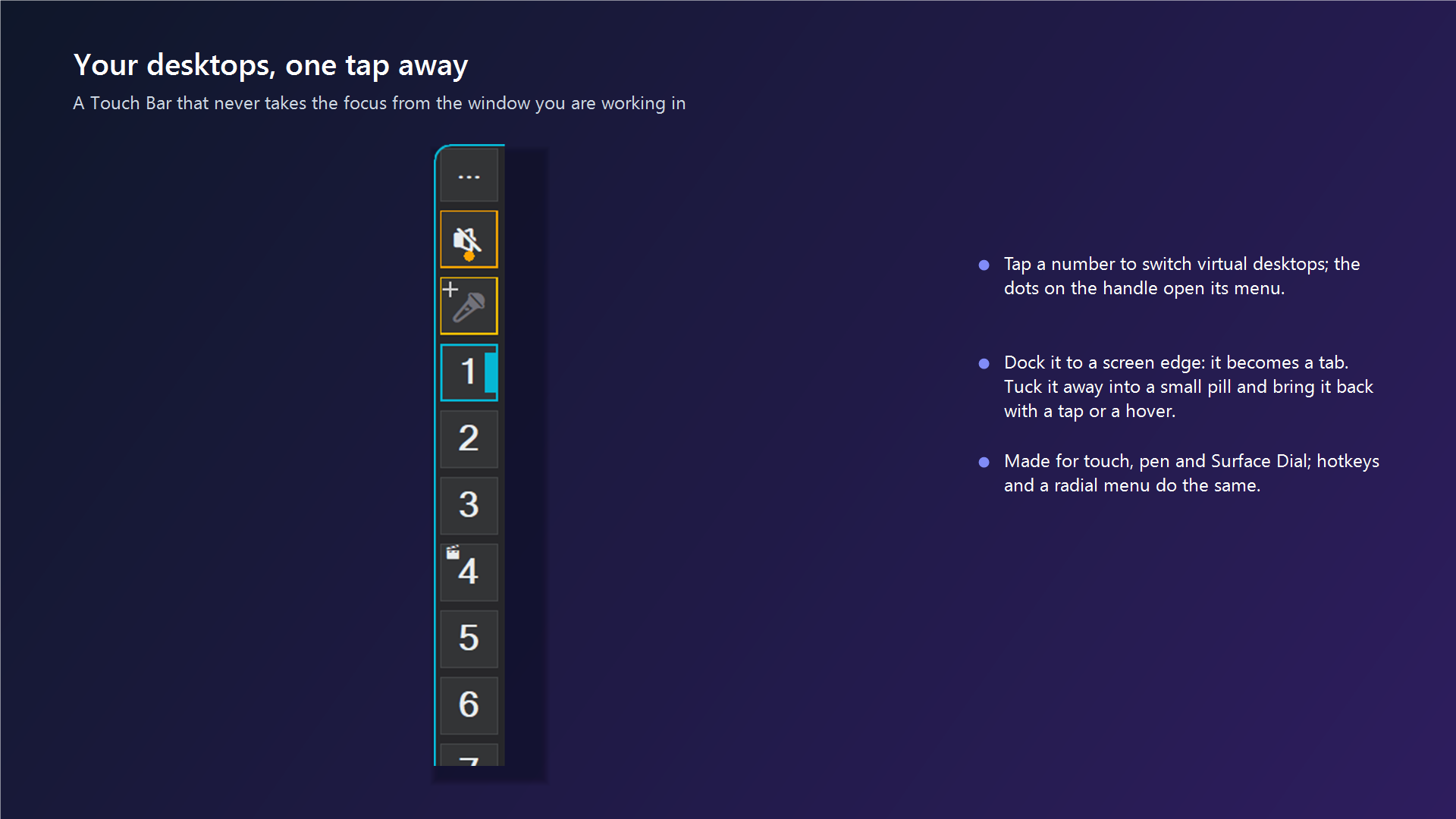 The Touch Bar. Tap a number to switch desktops; it never takes the focus from your window. |
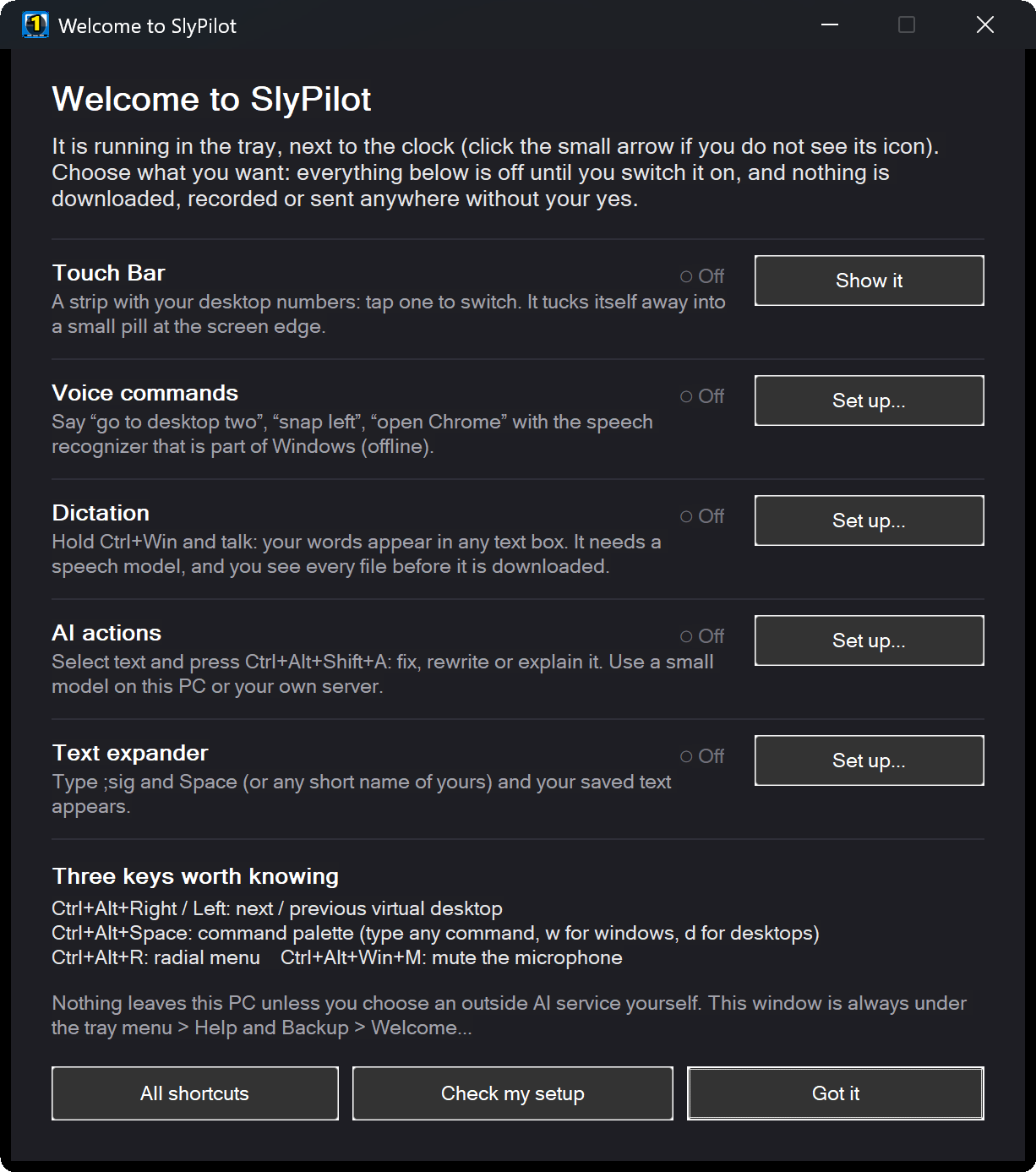 Welcome. Everything is off until you choose it, and nothing is downloaded or sent without your yes. |
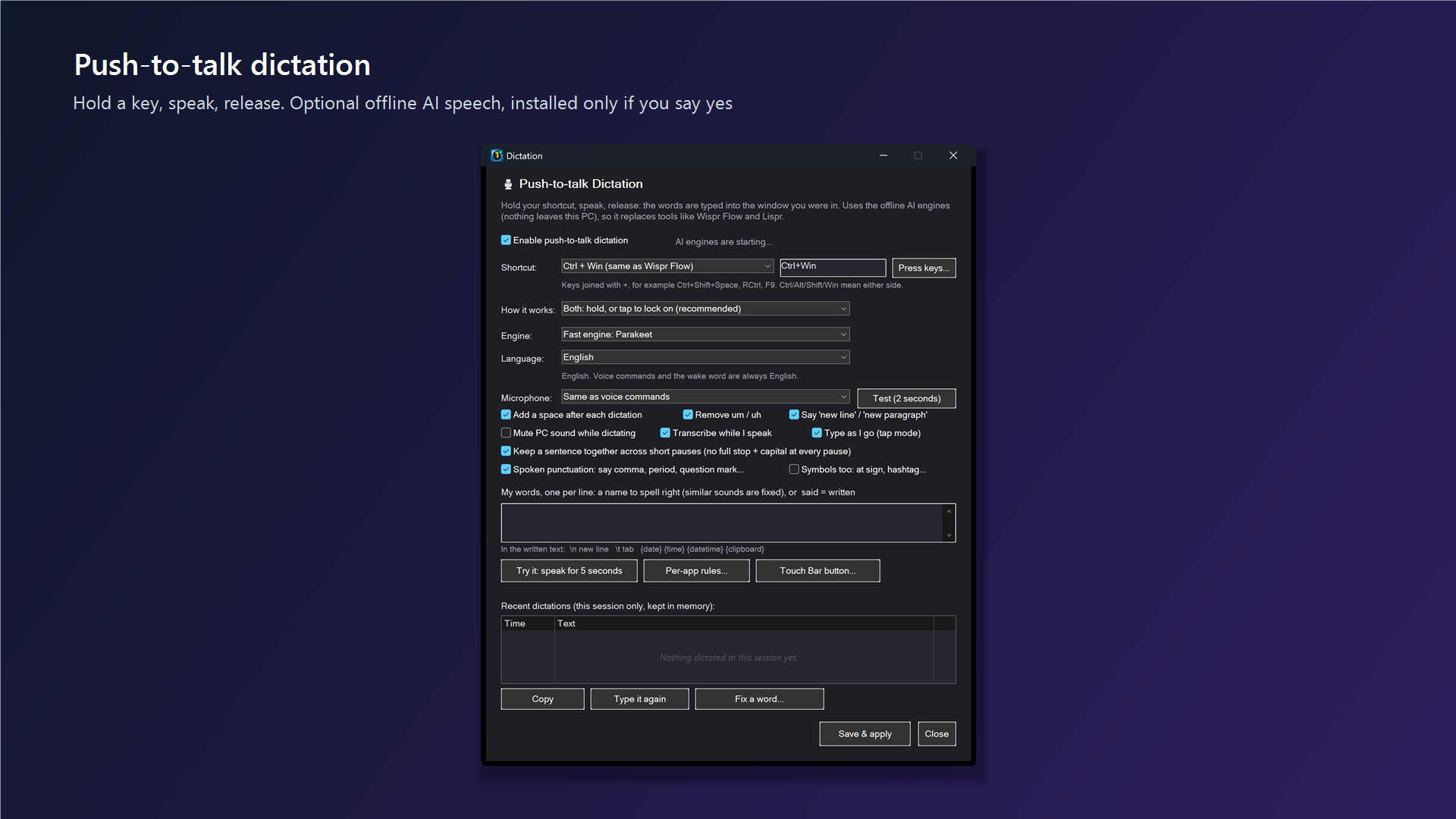 Push-to-talk AI dictation (SlyPilot Pro). Hold a key, speak, release. Offline AI speech is installed only if you say yes. |
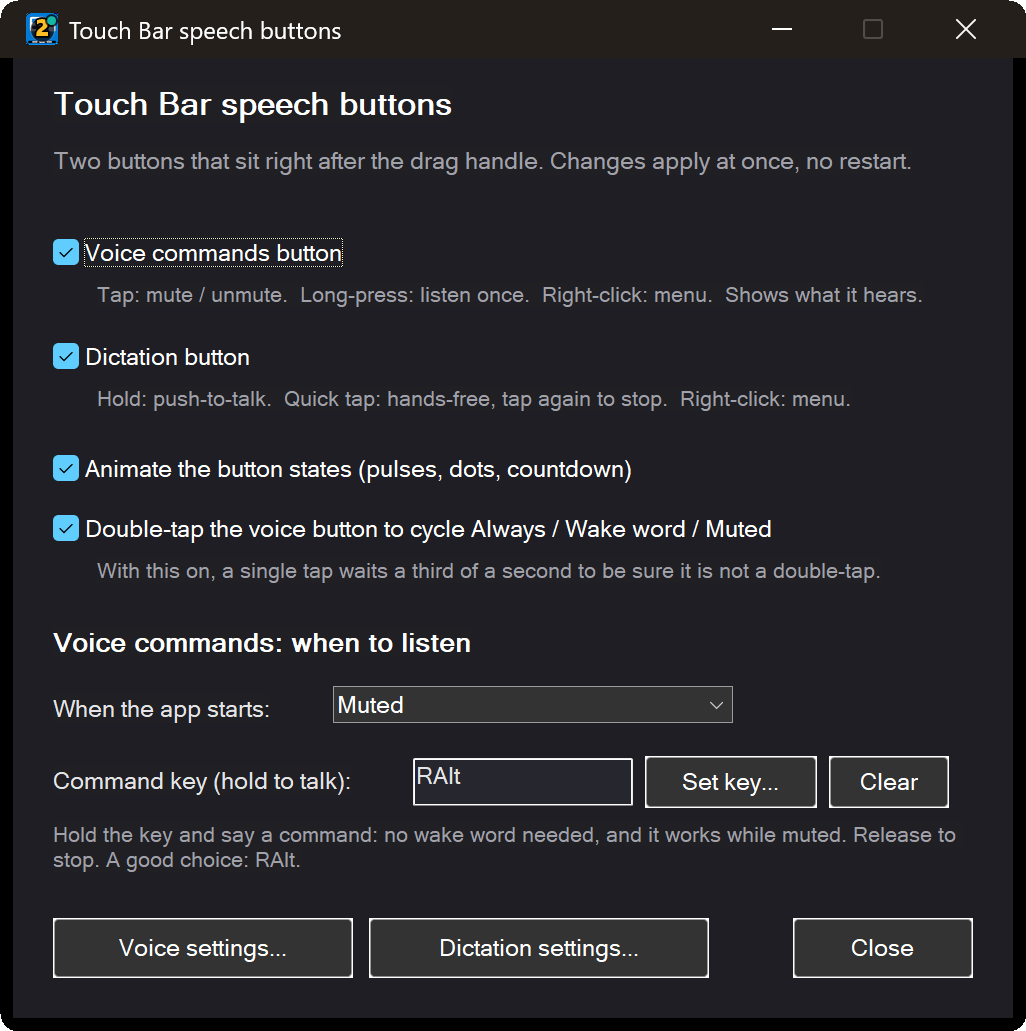 Speech buttons. Start muted, or use a hold-to-talk command key so a TV in the room never triggers anything. |
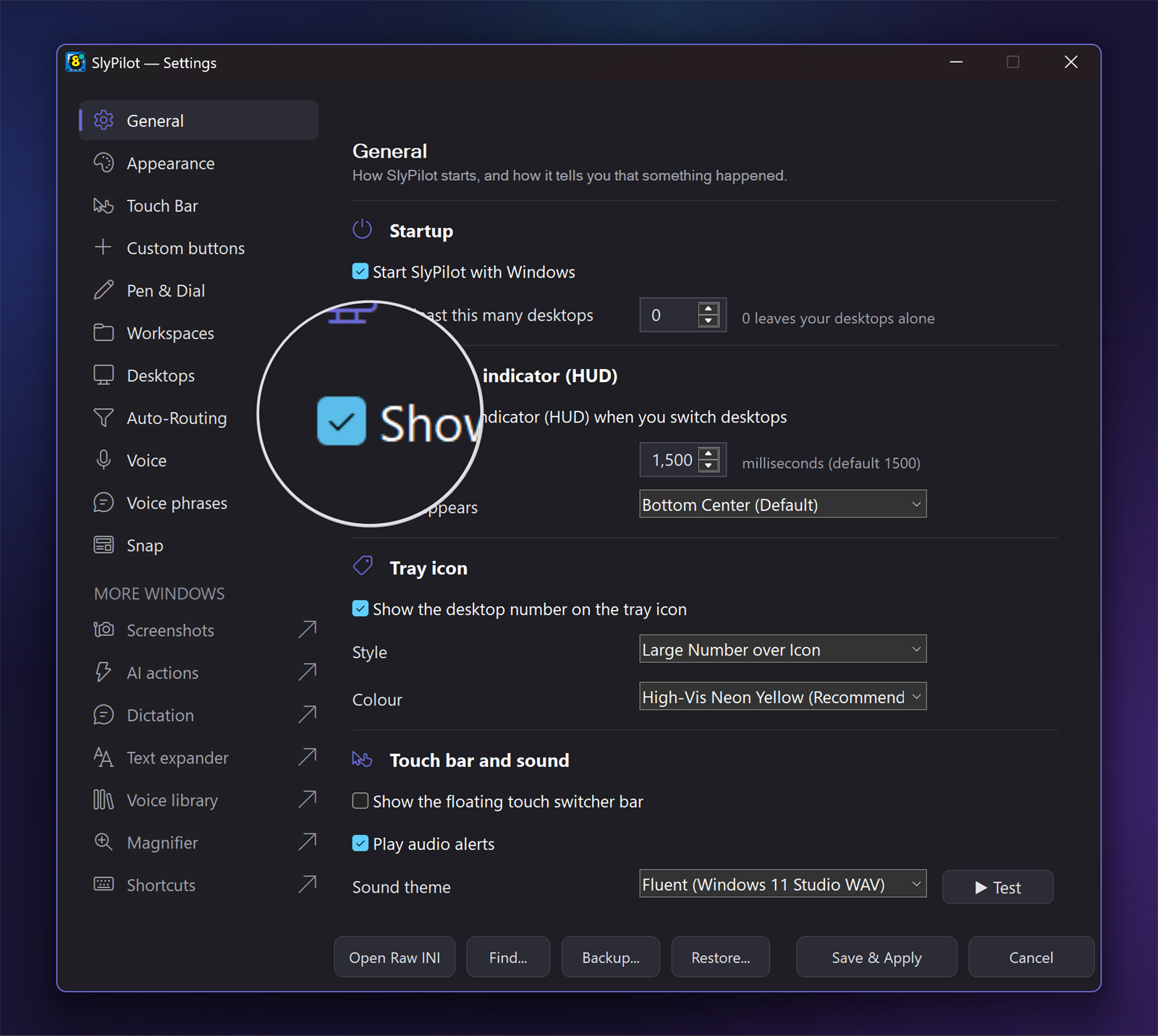 The magnifying glass. It follows your pointer, never takes a click and is not in screenshots. |
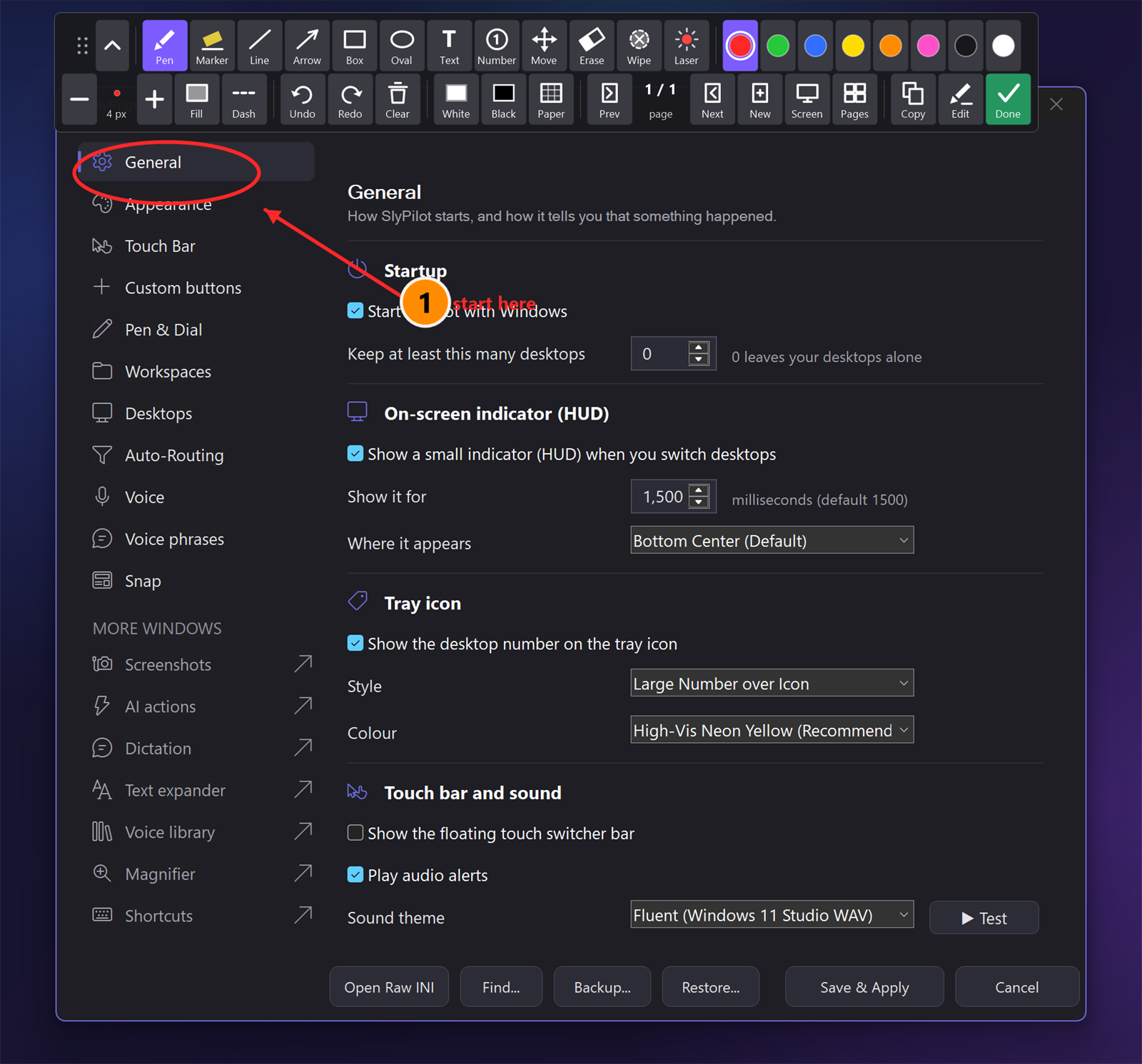 The drawing board. Draw on your screen with a pen, a finger or the mouse; Done saves PNGs and a PDF. |
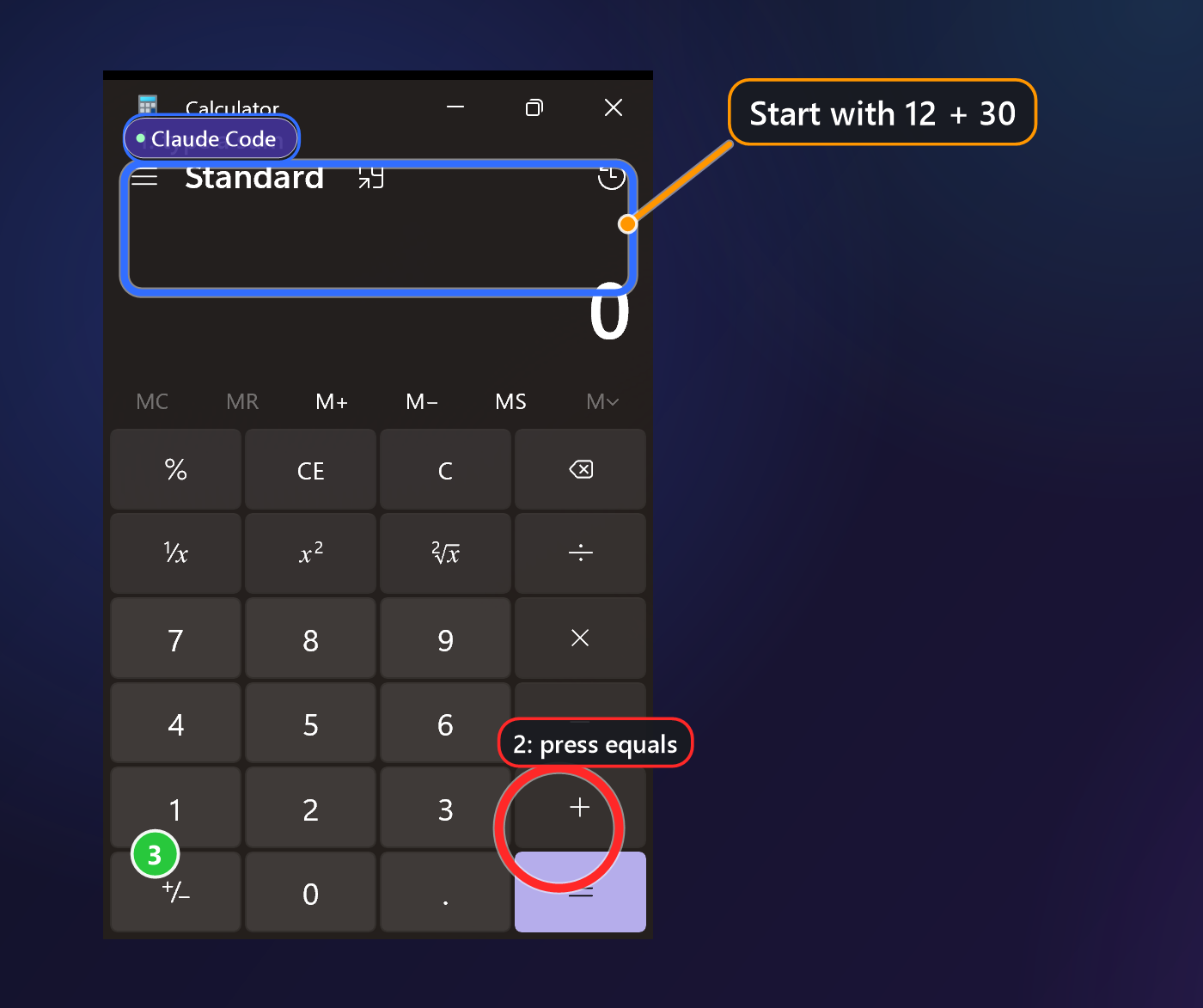 An assistant that points. Its marks carry its name, never take a click, and one tray item clears them. |
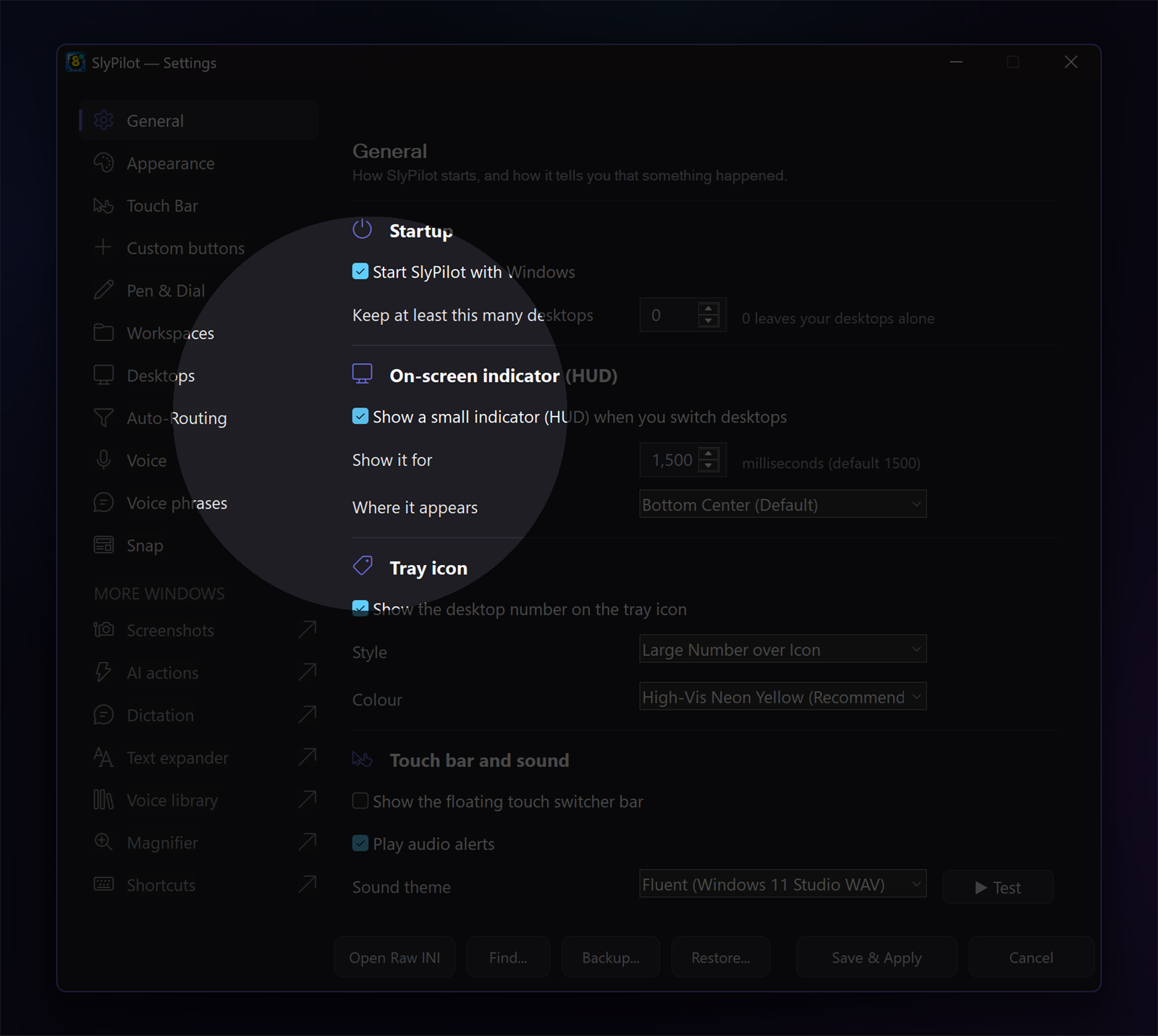 The spotlight. Part of the presenter tools, with click rings, a shortcut display and a countdown. |
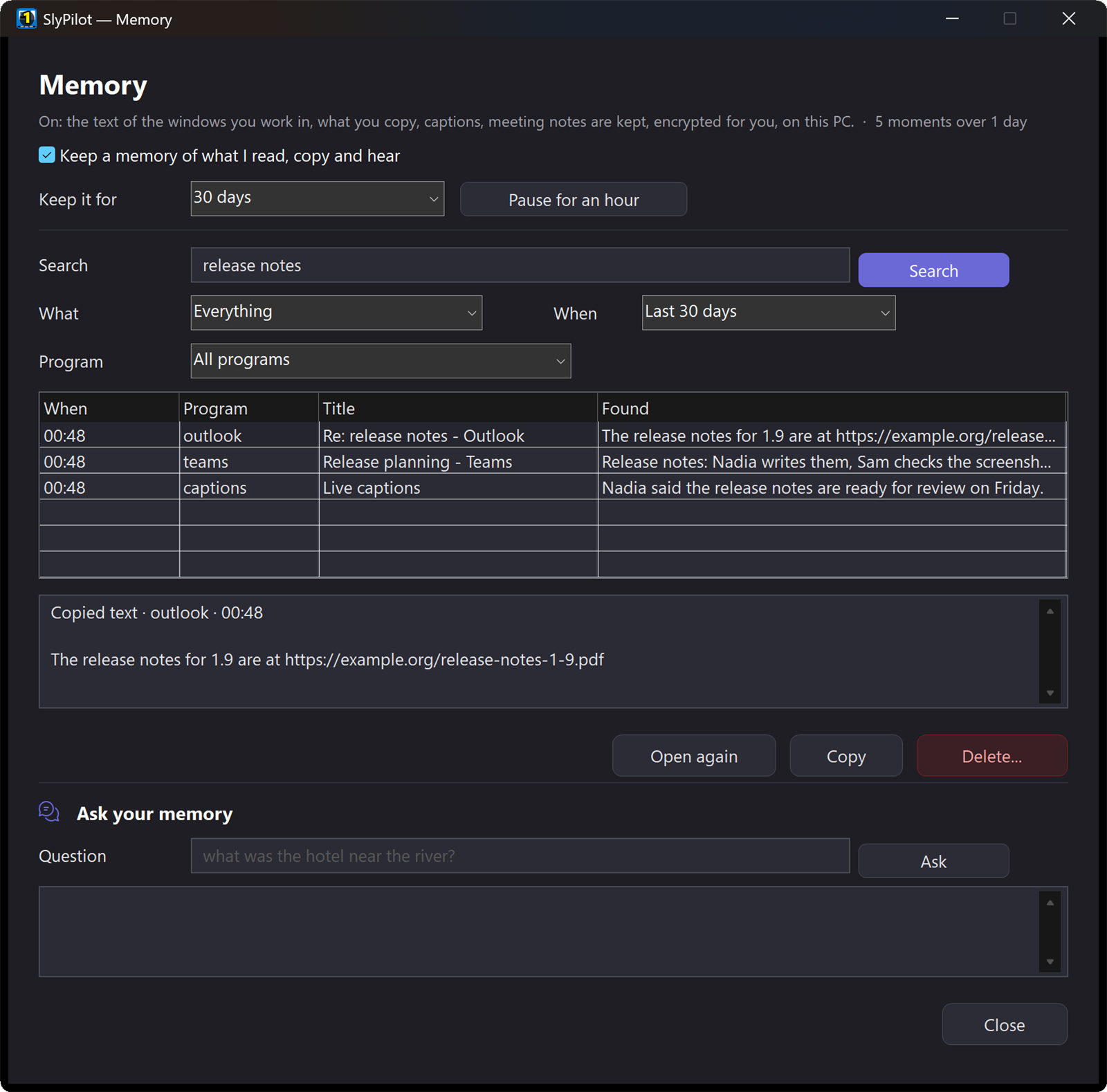 Memory (SlyPilot Pro). Find anything you read, copied or heard again. Text only, encrypted, on your PC. |
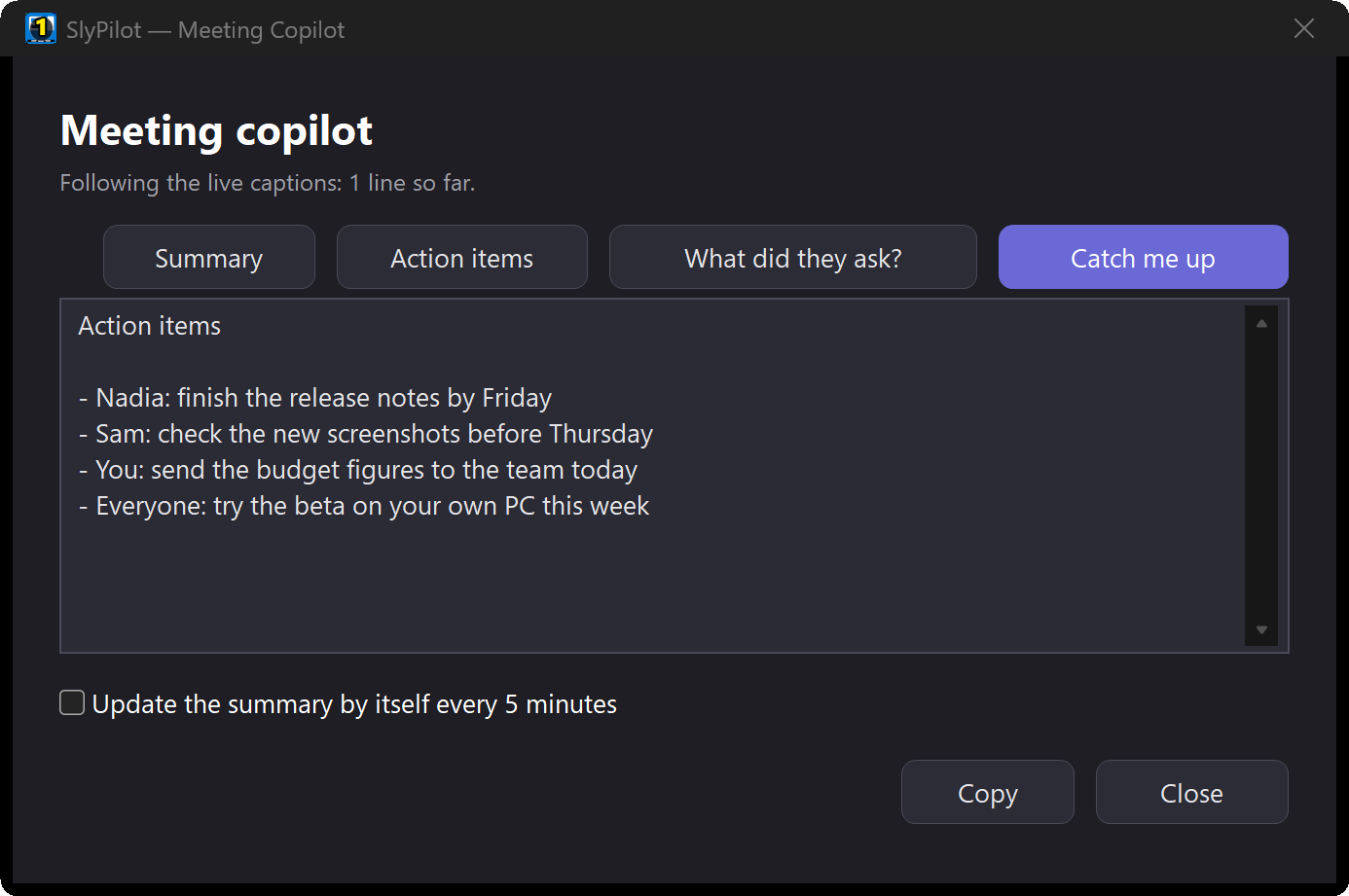 The meeting copilot (SlyPilot Pro). "What did they ask?" and "Catch me up", for any call, with no bot in the meeting. |
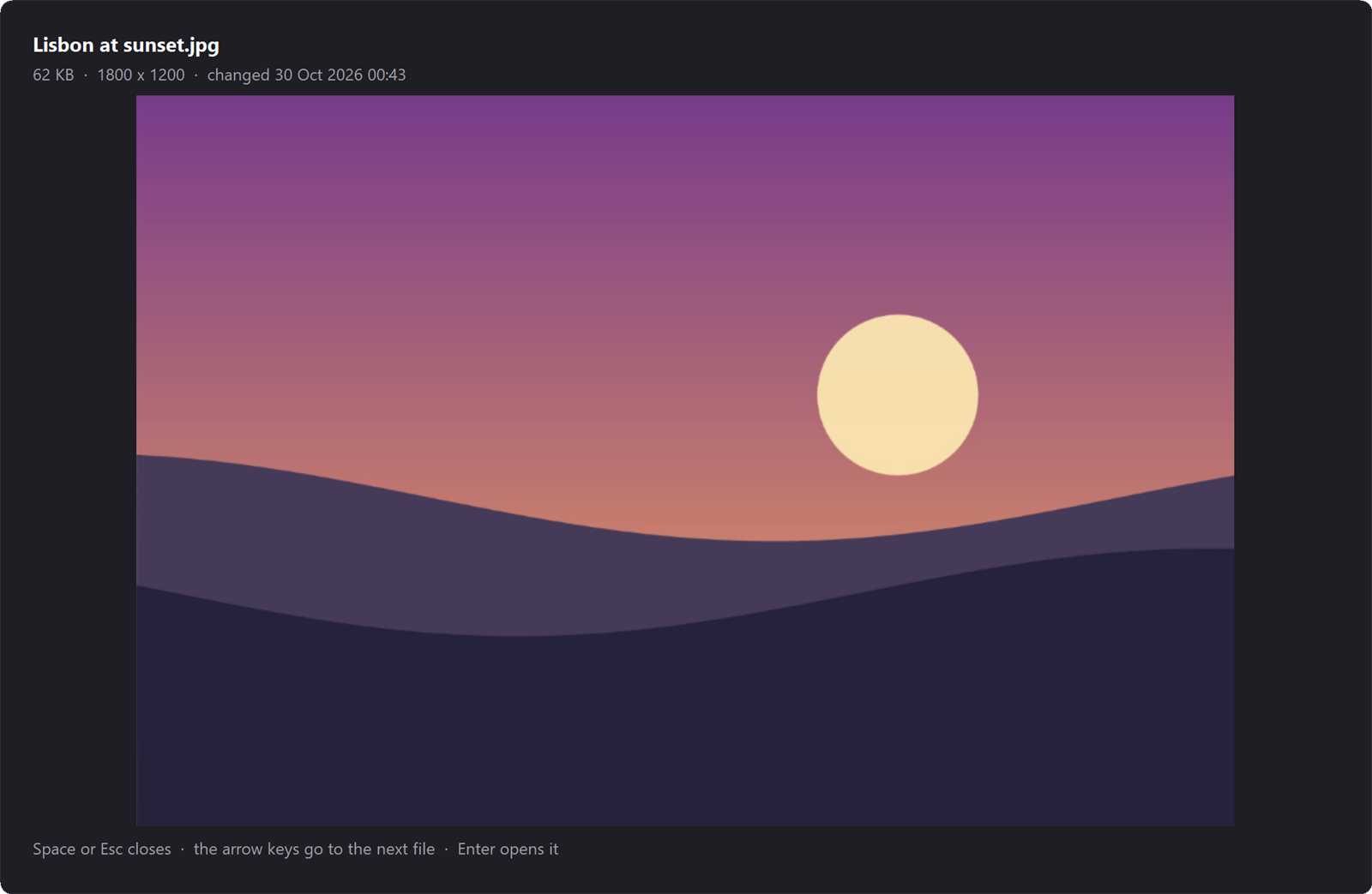 Peek with Space. Select a file in Explorer and press Space; the arrow keys go to the next file. |
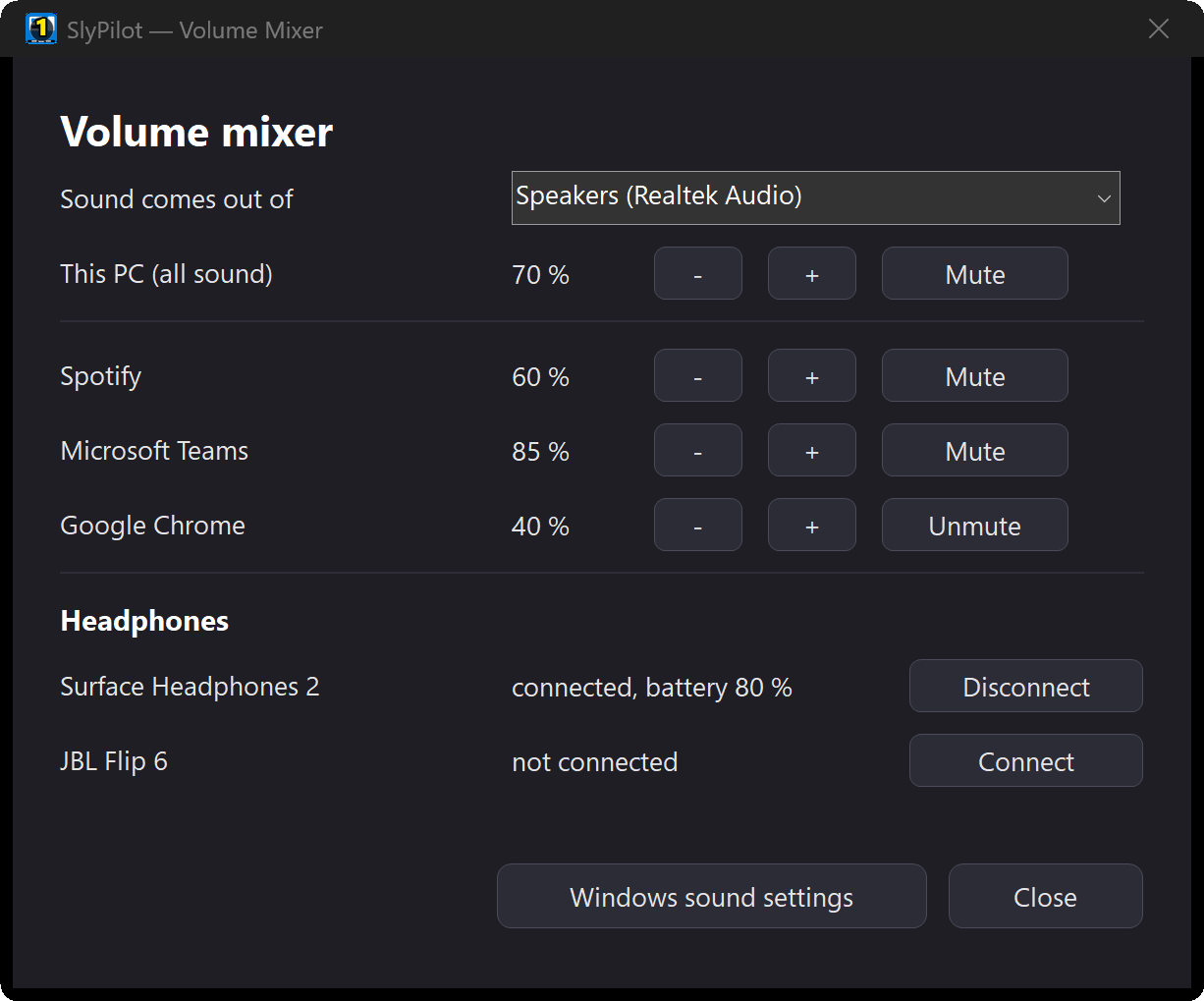 Every program's volume, and your headphones. One key, a card sized for touch, "connect my headphones". |
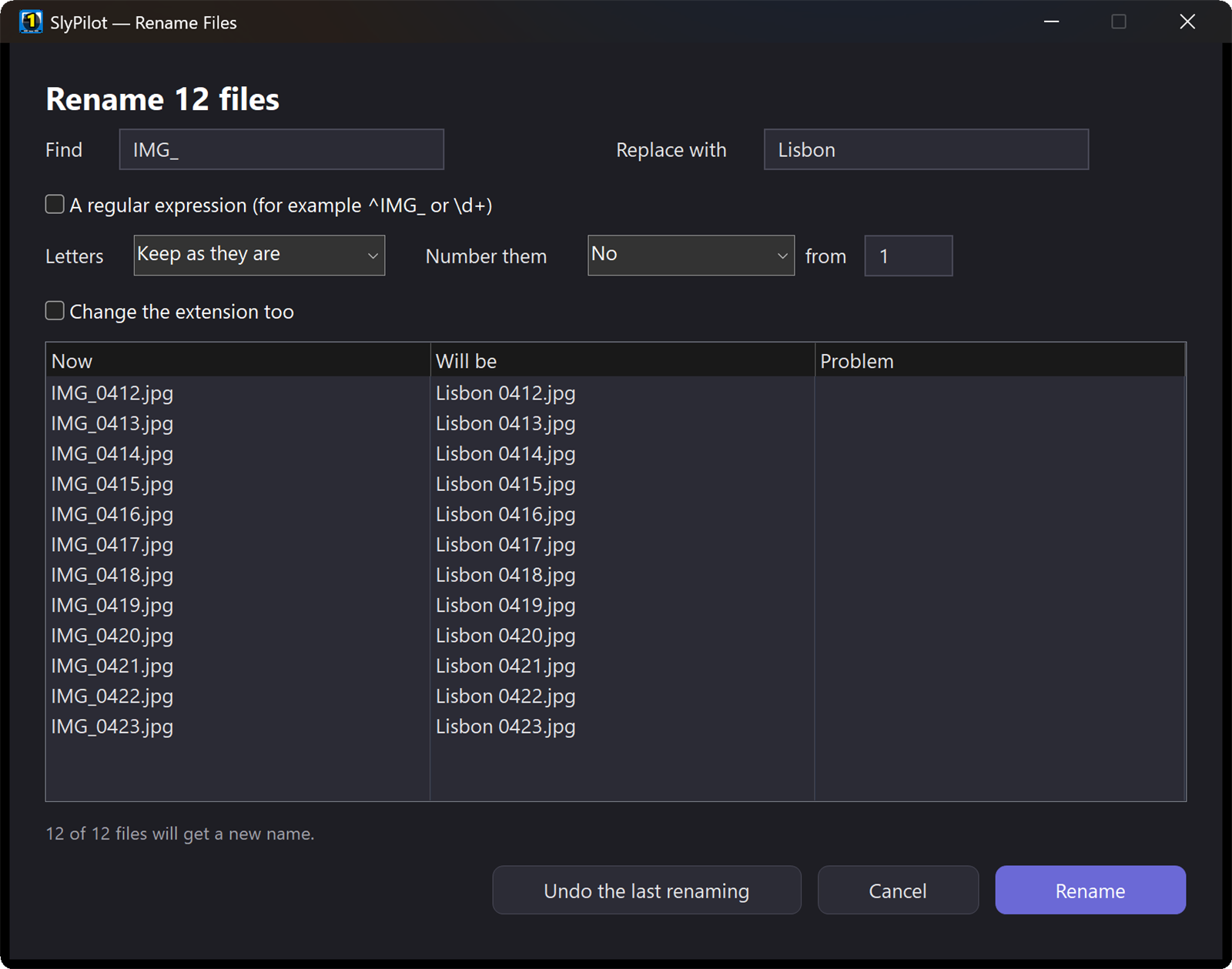 "Rename these files." Find and replace, numbers, letters, a preview of every name, and undo. |
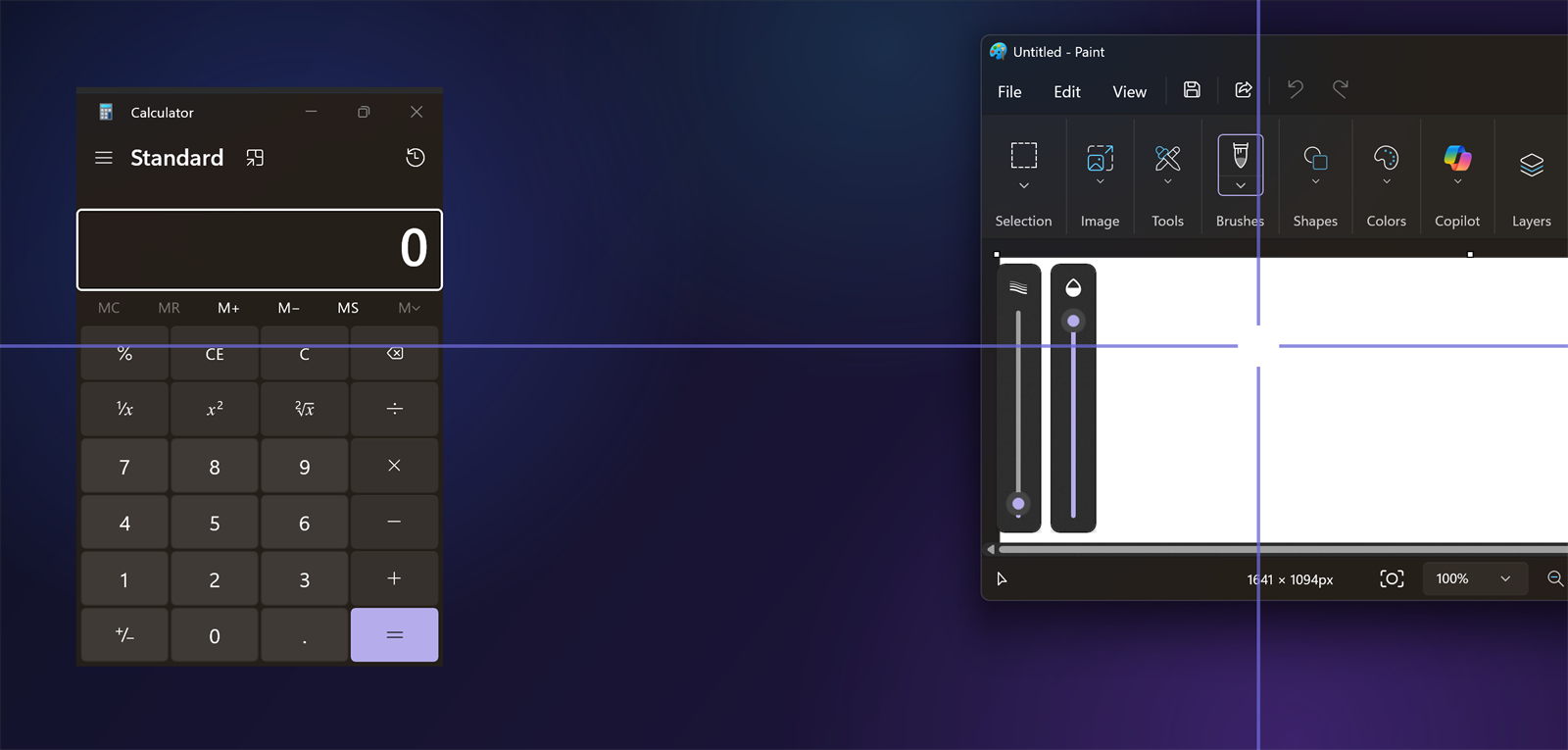 Crosshairs and a screen ruler. Find the pointer on a big screen, or measure a gap in pixels. |
---
## Why SlyPilot? How the Pieces Compare
Most people get this functionality by combining several tools: Windows' own features, a window-layout utility, a dictation service, a text expander, a clipboard manager, a macro pad app, an AI chat tab. SlyPilot's bet is that these belong together, work on touch as well as keyboard, and stay on your PC. This table says what SlyPilot itself does; it makes no claims about other products' prices or behaviour (those change, so check the vendors).
| What you want | What SlyPilot does | Where |
| :--- | :--- | :--- |
| Switch virtual desktops by touch, pen, Dial, hotkey, voice or phone | All of them, from one bar that never takes focus | Touch Bar |
| Save and restore layouts | INI workspace snapshots; optional auto-launch and display-layout restore (both off by default) | Workspaces |
| Snap windows with a finger | 18 touch zones, your own zones, undo snap, cross-monitor fling | Snap & window tools |
| Use a Surface Dial and Pen properly | Dial tools, pen eraser shortcuts, press-and-hold suppression, hover-to-open | Radial & Dial |
| Dictate anywhere | Free: Windows Voice Typing (it may use Microsoft's online speech service, depending on your Windows settings). Pro: push-to-talk AI dictation with Whisper or Parakeet on your GPU/CPU, with voice formatting, never online | Dictation · Pro |
| Control Windows by voice | Over 550 commands, click-by-name, numbered grid, macros, app packs | Voice commands |
| Use the PC without your hands | A head mouse through the camera you have, clicks by holding still, plus voice for everything else (free) | Head mouse |
| Peek at, rename and resize files | Space in Explorer for a preview; "rename these files", "resize these pictures", with a preview and undo (free) | Files & Explorer · vs. PowerToys |
| Find something you saw last week | Memory: text of what you read, copied or heard, on your PC, searchable and askable (Pro) | Memory · vs. Recall |
| Fix, shorten or translate selected text | AI actions with a model on your PC, your own server, or a service you choose | AI Actions |
| Take meeting notes without a cloud notetaker | Offline transcript, consent window, visible indicator, optional AI summary; live captions in any language and a copilot that catches you up (SlyMeet, Pro) | Meeting Notes · Captions & copilot · Pro |
| Know when the microphone is live | One-key mute for every program, Touch Bar button, optional ON AIR pill | Utilities |
| Reach the PC from the couch or a meeting room | Phone Remote over your own Wi-Fi, nothing to install on the phone (SlyRemote, Pro) | Phone Remote · Pro |
| Turn off the screen from across the room | Home Link: Google Home, Alexa or Apple Home switch the PC by voice (SlyHome, Pro, preview) | Home Link · Pro |
| Make the screen bigger, or show it to a room | Magnifier with a glass, typing glass, strip and profiles; spotlight, click highlight, shortcut display, countdown and Presenting mode (free; second-screen view and Auto-Switcher Pro) | Magnifier · Presenter tools |
| Draw on the screen while you explain | The drawing board: pen, finger or mouse, pages, boards, voice words; Done saves PNGs and a PDF (free) | Drawing board |
| Have an AI assistant show you instead of tell you | Marks, a tour, a whiteboard and the presenter tools drawn by the assistant, with its name on them and your click first (free) | Assistants that point and draw |
| Let AI agents drive the desktop safely | MCP server and Agent API with levels, approvals, protected windows and a pause hotkey | Agent API |
| Read text aloud naturally | 45 offline neural voices from Kokoro, Piper & Supertonic (SlyTts, Pro) | Read aloud · Pro |
| Take, mark up and record the screen | Screenshots by voice, pen or keys with a frozen screen, history, pins, copy text and Quick Redact (free); the editor, MP4 / GIF recording, scrolling screenshots and step-by-step guides from your clicks (SlyShot, Pro). Nothing is uploaded | Screenshots · Pro |
| Price and licence | Free open core (MIT licence, no trial, no time limit); optional one-time SlyPilot Pro (US$39 for up to 3 personal PCs, 1 year of updates included, 30-day refund) for AI dictation, phone remote, natural voices, meeting notes with live captions and a copilot, the screenshot editor and screen recorder, Memory and settings sync | SlyPilot Pro · About |
👉 Read the SlyPilot comparison guide, including where SlyPilot is not the right tool → · All comparisons (PowerToys, Recall, meeting bots …) →
---
## 🚀 SlyPilot Pro: Advanced Superpowers for Power Users
The core of SlyPilot is free and open source (MIT licence), with no trial and no time limit. SlyPilot Pro is an optional, one-time purchase that unlocks seven proprietary parts for power users, remote professionals, and multitaskers:
- 🎙️ AI Dictation: Whisper and NVIDIA Parakeet models running on your PC (NVIDIA GPU, other graphics cards or CPU), typing phrase by phrase directly into any window, with spoken punctuation, "scratch that" voice editing, per-app rules, your own word list and 38 languages. (The free core opens Windows Voice Typing instead.)
- 👥 Meetings: Notes, Live Captions & a Copilot (SlyMeet): An offline transcript of a call from your microphone and your PC's sound, with an optional summary by your own AI model; live captions of any call on any monitor, translated into any language; and a copilot card that tells you what they just asked or what you missed. No cloud bot joins your calls.
- 🧠 Memory: Find anything you read, copied or heard on your PC again, or ask your own AI model about it. Text only, never pictures; encrypted for your Windows account, on your PC only.
- 🔄 Settings Sync: Your Touch Bar, snippets, macros, shortcuts, automations and workspaces, the same on every PC you use, through your own OneDrive, Dropbox or network folder.
- 📱 Phone Remote (SlyRemote): Use your Android phone (in Chrome) as a trackpad, keyboard, microphone, Touch Bar and screen view over your local Wi-Fi.
- 🏠 Home Link (SlyHome, preview): Your Google Home, Alexa or Apple Home speaker switches the PC (display, volume, focus mode, lock, your own commands), over local Matter.
- 🗣️ 45 Natural Offline Voices (SlyTts): English Kokoro, Piper and Supertonic voices running on your PC for spoken feedback and for reading aloud a selection, the clipboard or a rectangle of the screen. (The free core uses Windows voices.)
- 📸 Screenshot Editor & Screen Recorder (SlyShot): Mark up screenshots (arrows, steps, blur, solid redaction, a background), record the screen as MP4 or GIF with sound, clicks and shortcuts, capture a long page in one picture, and say "record a guide" to turn a task into numbered steps with pictures and captions. (Taking screenshots, the history, pins and Quick Redact are free.)
No subscription, no account, no telemetry in the program. A single US$39 one-time purchase covers up to 3 of your personal PCs. You activate with a licence key (SLY-...) that gets a signed 30-day lease for your PC (renewed about twice a day while running, works offline for 30 days, and sends only the key, an anonymous one-way-hashed PC id, the PC name, "win32" and the Pro version—no usage data; an offline SlyPilot.lic file is also supported). The version you bought keeps working, 1 year of updates is included, and there is a 30-day refund, no questions asked.
---
## Key Hardware Ecosystem Synergy
SlyPilot is custom-engineered to unlock the hardware you already own:
```
┌──────────────────────────────────────────────┐
│ SlyPilot Unified Core Engine │
└──────┬───────────────┬──────────────┬────────┘
│ │ │
┌────────────────┴───────┐ │ ┌──────┴────────────────┐
▼ ▼ ▼ ▼ ▼
┌─────────────┐ ┌─────────────┐ ┌─────────────┐ ┌─────────────┐
│ Microsoft │ │ Multi- │ │ Local AI │ │ Macro Pads, │
│ Surface Pro │ │ Monitor 4K │ │ GPU / CPU │ │ Stream Decks│
│ Pen & Dial │ │ Workspaces │ │ CUDA/Vulkan │ │ & your Phone│
└─────────────┘ └─────────────┘ └─────────────┘ └─────────────┘
• Instant pen drag • Optional • Whisper v3 • Command-line
• Proximity pill layout turbo switches
• Dial radial tools memory • Parakeet 0.6B • /say any voice
• Press-and-hold • Proportional • Kokoro 82M command
suppression flinging TTS • Phone Remote
```
- Microsoft Surface & 2-in-1 Tablets: The Touch Bar can be a thumb-reachable vertical dock. Windows Ink press-and-hold delay is suppressed on SlyPilot's own windows so pen dragging is instant. Hovering the pen over the Peek Pill brings the bar out.
- Surface Dial: Spin through virtual desktops, drive the radial menu, adjust volume, brightness or window opacity, or rotate through the voice listening modes. (The Dial setup shows you the keys to enter in Windows' Wheel settings.)
- Multi-Monitor Workstations: Proportional window flinging between displays, and an optional, off-by-default memory of window positions per monitor setup for docking and undocking. Try it for a while before you rely on it.
- NVIDIA & Other Graphics Cards: For AI dictation (Pro), Whisper Large v3 Turbo on NVIDIA CUDA, or Whisper Small on Vulkan through CrispASR for other graphics cards. A graphics card makes the large models fast; everything also works without one.
- Stream Deck & Hardware Macro Pads: Send SlyPilot.exe /goto 2, /snap left, /radial, or /say "<any voice command>". The small SlyCtl.exe client hands /say to the running program without starting a second copy of it. Setup guide →
- Your Phone (Pro): Scan a code and your Android phone becomes a trackpad, keyboard, microphone, Touch Bar and screen view, over your own Wi-Fi (see the Phone Remote). Nothing is installed on the phone; it is used with Chrome.
---
## The Privacy-First Manifesto
In an era of mandatory cloud subscriptions and background telemetry, the SlyPilot program is built to stay on your PC: no accounts, no telemetry, no analytics in the program (the website is a separate thing, see the Privacy Policy). Voice commands and Pro's AI dictation run on your PC. Nothing leaves it unless you turn on an optional feature (AI actions to a model you choose, the update check, model downloads); the Phone Remote talks only to phones you paired, on your own network.
1. Your voice stays on your machine. Voice recognition and Pro's AI dictation run on local engines that listen only on 127.0.0.1. Recorded dictation audio is held in memory and not saved. (One exception outside SlyPilot: the free dictation button and the "dictate" voice command open Windows Voice Typing, which, depending on your Windows settings, may use Microsoft's online speech service. SlyPilot's AI dictation never does.)
2. No telemetry, no analytics, no accounts in the program. The only network requests SlyPilot starts are the ones you trigger or enable: model downloads (after a consent window), the update check (a button, or weekly if you tick it), AI actions sent to a model you choose, and (if you activate SlyPilot Pro with a SLY-... key) licence activation and lease renewal (slypilot.com receives only the key, an anonymous one-way-hashed PC id, the PC name, "win32" and the Pro version—never usage data). A model on your own PC keeps your text on your PC; an outside service is refused until you tick a box that names it.
3. Verified downloads. When you choose to download AI models and voices, every file is checked against a published SHA-256 checksum, and a file that does not match is deleted.
4. Meeting audio is not kept. Meeting notes cut the audio into short pieces that are deleted as soon as they are turned into text. Transcripts are plain text files on your PC, and you can delete them from the tray menu.
5. Transparent diagnostics. The log stays on your PC (logs\crash.log, capped at 2 MB) and by default holds no spoken or dictated words.
Read our full Privacy Policy →
---
## Built-in "Check My Setup" (The Doctor)
Worried about complex configurations or missing Windows dependencies? SlyPilot includes a Setup Doctor (tray > Help and Backup > Check my setup...):
- Verifies Windows 10/11 compatibility of the desktop engine.
- Checks microphone availability and Windows privacy permissions, and warns when Windows has the microphone muted.
- Looks at the offline speech engines and their files.
- Points you to the right Windows settings page when something is switched off.
- Offers a few safe fixes (open the right page, unblock a downloaded file, clear a read-only flag, set up AI speech), each with a click from you.
---
## Download SlyPilot
SlyPilot is free (MIT licence) and lightweight (about 13 MB program, about 60 MB of memory when idle). It runs on Windows 10 and Windows 11 (64-bit); the virtual desktop part needs Windows 10, or Windows 11 24H2 (build 26100.2605) or newer, and the program checks this at start and says so in plain words. Public downloads are not available yet (the project repository is private at the moment). These are the formats it is being prepared in:
Downloads: not public yet
| Package Format | Description | Best For |
| :--- | :--- | :--- |
| User Installer (.exe) | Self-contained, per-user setup (%LOCALAPPDATA%\Programs\SlyPilot). No administrator rights needed. Start Menu shortcut; desktop shortcut optional. The installer is not code-signed yet, so Windows may show a "Windows protected your PC" (SmartScreen) notice: choose More info, then Run anyway. | Recommended for most users |
| Portable Archive (.zip) | Standalone zero-install executable. Run directly from any folder or USB thumb drive. Settings stay in SlyPilot.ini next to the executable. | Power users & portable USBs |
| Microsoft Store (.msix) | The package and listing material are prepared, but nothing has been submitted. Not available. | Corporate or managed devices (later) |
---
## Quick Navigation
- SlyPilot Pro: What Pro adds (AI dictation, meeting notes, phone remote, natural voices), the price and the licence terms.
- Feature Breakdown: Deep-dive into all 32 feature subsystems, including the Magnifier, the presenter tools, the drawing board and assistants that point and draw.
- AI Actions and Meeting Notes: language-model help on your text, and offline meeting transcripts, with setup guide for AI Actions.
- Phone Remote: Your phone as a trackpad, keyboard, microphone and screen view for the PC, with a setup guide.
- Home Link (preview): Your smart speaker switches the PC through Google Home, Alexa or Apple Home, with a setup guide.
- Use Case Guides: How developers, artists, multitaskers, writers, presenters and hands-free users work with it.
- User Documentation: Installation guides, keyboard shortcuts, voice command cheat sheets, the command line and Stream Deck guide and INI configuration.
- SlyPilot Compared: What SlyPilot replaces, and where it is not the right tool.
- Roadmap: What has shipped and what is being considered.
- Frequently Asked Questions (FAQ): Common answers regarding privacy, hardware, and updates.
- Migration Guides: Switching from Wispr Flow, PowerToys FancyZones, or DisplayFusion.
- About, Architecture & Credits: How SlyPilot is built, and the open-source projects it stands on.