
Link Router: Every Link Opens in the Right Browser
Work links in Edge with your work profile, YouTube in Firefox, GitHub in Chrome's Dev profile, Teams meeting links straight in the Teams-friendly browser
Work links in Edge with your work profile, YouTube in Firefox, GitHub in Chrome's Dev profile, Teams meeting links straight in the Teams-friendly browser, and everything else where it always went. You click a link in a mail, a chat or a document, and it opens in the right browser, in the right profile, without a thought.
That's the Link Router, part of the free SlyPilot. One rule per line, and Shift-click whenever you want to choose by hand.
What is free and what is Pro. All of it is free. Nothing here needs SlyPilot Pro.
   a link clicked in Outlook, Teams, Slack, a PDF …
                    │
                    ▼
        SlyPilot Link Router ──  the first rule that fits  ──▶  Firefox · Chrome "Work" · Edge · any program
                    │
                    └── Shift held ──▶ a small list: choose this time
✨ Rules, One Per Line
Tray > Utilities > Link Router... (or "show link router"):
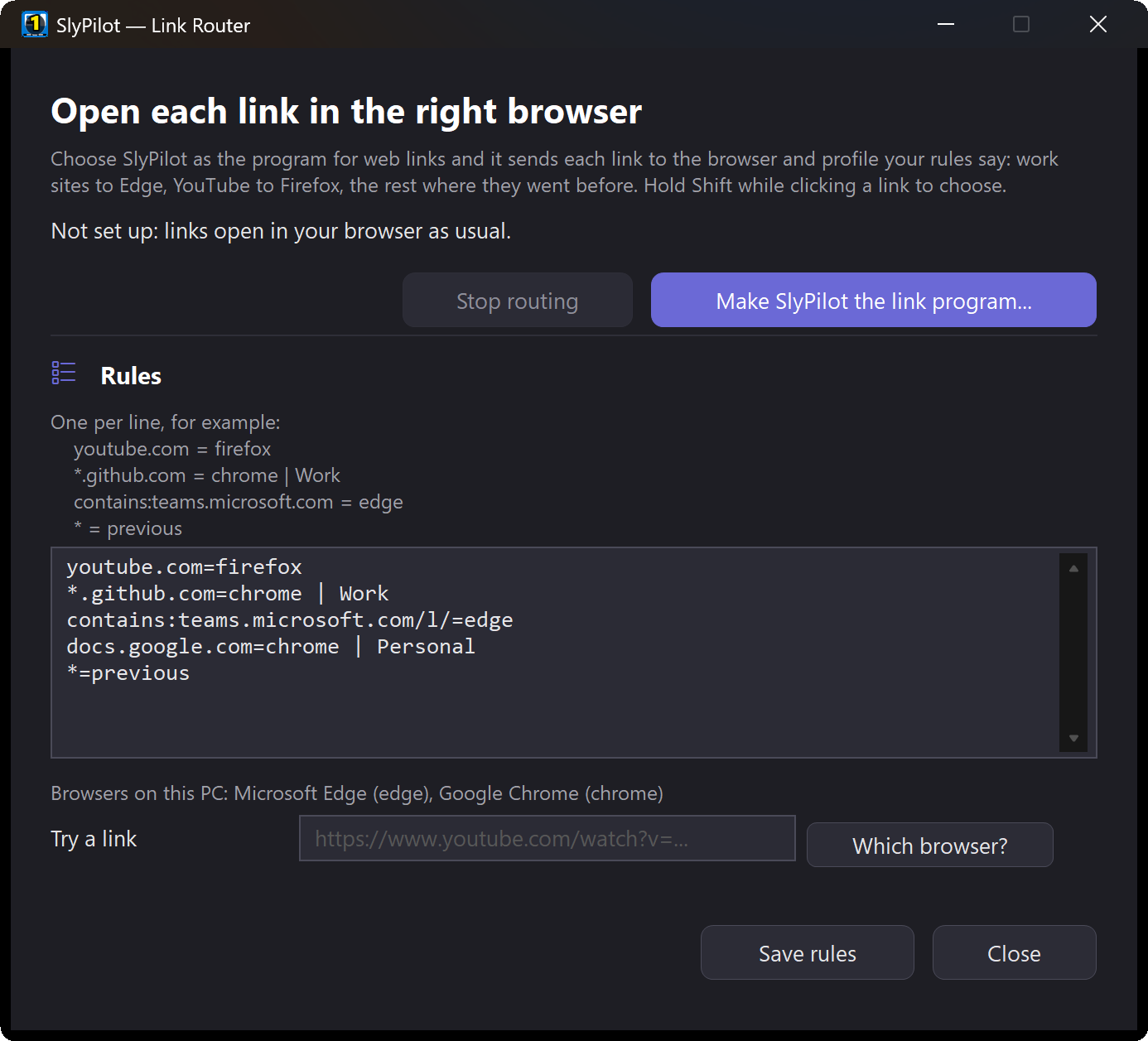
youtube.com = firefox
*.github.com = chrome | Work
contains:teams.microsoft.com/l/ = edge
docs.google.com = chrome | Personal
* = previous- A site (
youtube.com), a site and its subdomains (*.github.com), or any link that contains a text (contains:). - A browser (
chrome,edge,firefox, …), a profile by its name after|, or any program withexe:"C:\path\program.exe". * = previoussends everything else to the browser that opened your links before SlyPilot did.- No rule fits? The browser you had.
- Try a link in the window shows where a link would go, before you trust a rule.
🖱️ Choose by Hand: Shift-Click
Hold Shift while you click a link and a small list asks which browser (and profile) to use, this time only.
⚙️ Switching It On
- In the Link Router window press Make SlyPilot the link program.... SlyPilot registers itself for web links for your Windows user only.
- Windows opens Default apps: choose SlyPilot Link Router for HTTP and HTTPS. (Windows doesn't let a program make itself the default, so this one step is yours.)
- Done. Stop routing in the same window removes the registration (the uninstaller does too); choose your browser again in Default apps if Windows asks.
✅ Good to Know
- The rules travel to your other PCs with Settings sync (Pro).
- Not in the Store version: Windows doesn't allow a packaged program to register this way.
- Links opened by a browser itself (a link inside a web page) stay in that browser: the router sees the links other programs hand to Windows.