
The Ultimate Companion for Microsoft Surface & Windows Tablets
Turn your Surface Pro, Surface Laptop Studio, or Windows 11 tablet into an ultra-responsive touch cockpit with floating docks, Surface Pen flick suppression, and Surface Dial radial controls.
Zero Focus Loss · Instant Stylus Drag · Surface Dial Native · 100% Offline Dictation
- 0 ms
- Focus Loss Latency
- Instant
- Stylus Latency
- Rotary Hub
- Surface Dial Native
- 100% Local
- Speech Privacy
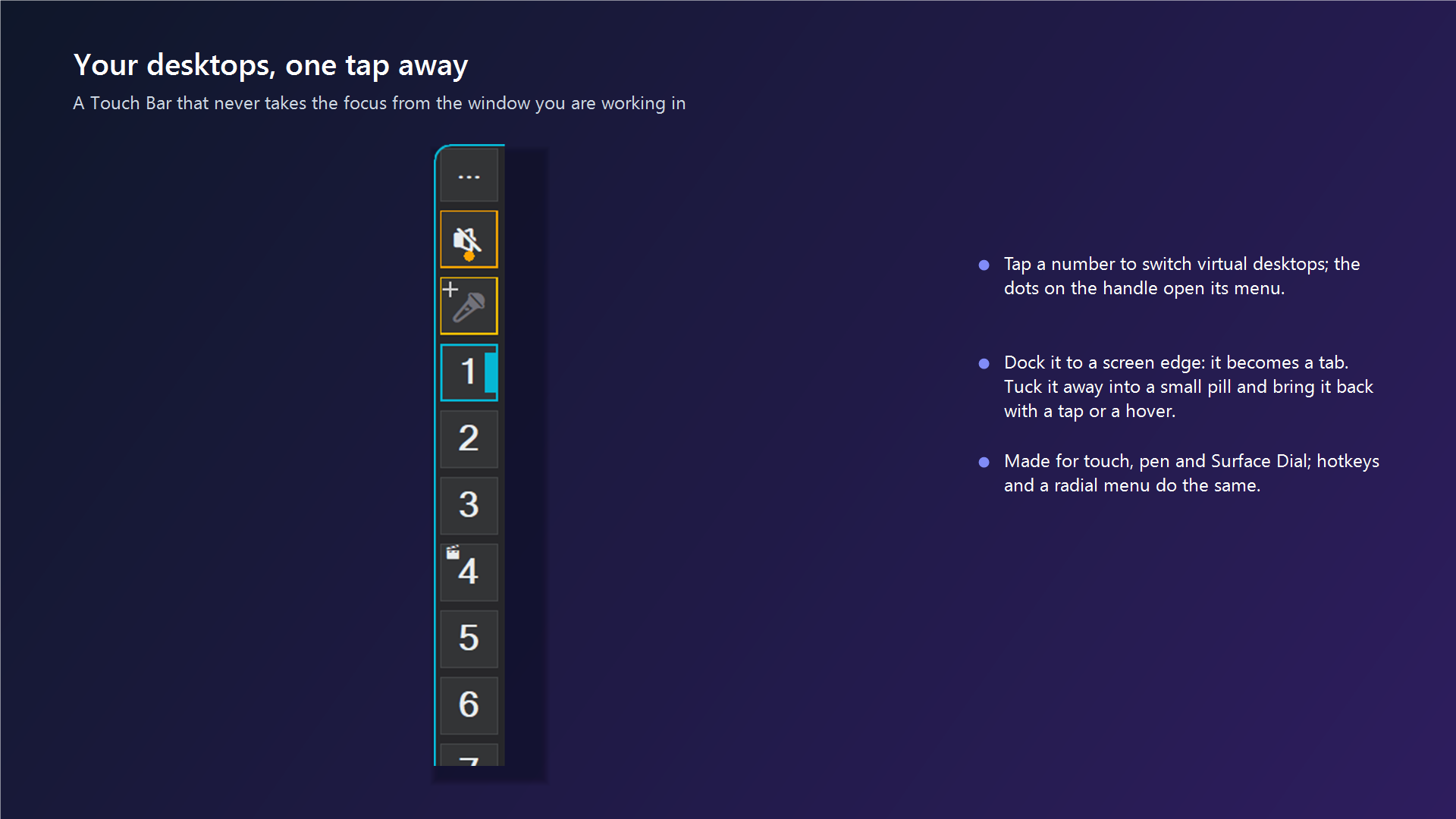
Touch Bar and drawers never steal focus or interrupt on-screen keyboard typing
Automated Win32 suppression of Windows Ink press-and-hold circles and flick latency
Rotary pie menu and desktop switcher on Surface Dial contact or desk rotation
Continuous push-to-talk GPU dictation with zero cloud audio transmission
Engineered from the Ground Up for Surface Hardware
Instant Stylus Dragging
Windows Ink buffers stylus contacts for 500ms to detect right-clicks. SlyPilot injects TABLET_DISABLE_PRESSANDHOLD and TABLET_DISABLE_FLICKS so stylus drag and drawer interaction happen on the exact millisecond of glass contact.
Surface Pen Proximity Hover
Hover your Surface Pen within 35 DIP pixels of the screen edge to expand the Touch Bar drawer automatically, then tucks cleanly away into a Peek Pill when you pull back.
Surface Dial Radial Pie Menu
Place your Surface Dial on screen or on your desk. Turn the physical dial to rotate through virtual desktops, snap windows, adjust audio volume, or activate custom radial tools.
Direct Windows Ink Pointer Capture
Hold your stylus tip on a Touch Bar button to trigger instantaneous Push-to-Talk dictation (WM_POINTERDOWN / WM_POINTERUP), completely bypassing OS mouse emulation lag.
Magnetic Screen-Edge Peek Pill
When working in drawing apps like Photoshop, Illustrator, or Blender, the Touch Bar collapses into a sleek 8px Peek Pill at your chosen screen bezel, leaving 100% of your canvas clear.
Zero Focus Loss Architecture
Touching dock buttons, rotating the Surface Dial, or flicking windows between monitors never steals caret focus from your active document, text field, or stylus canvas.
Hardware Compatibility Across the Windows Ecosystem
Microsoft Surface Lineup
Tested and optimized on Surface Pro 7/8/9/10/11, Surface Pro X (ARM64 via emulation), Surface Laptop Studio 1 & 2, and Surface Book.
Gaming & Workstation Tablets
Seamless performance on ASUS ROG Flow Z13, Minisforum V3, Lenovo ThinkPad X12, and HP Spectre x360.
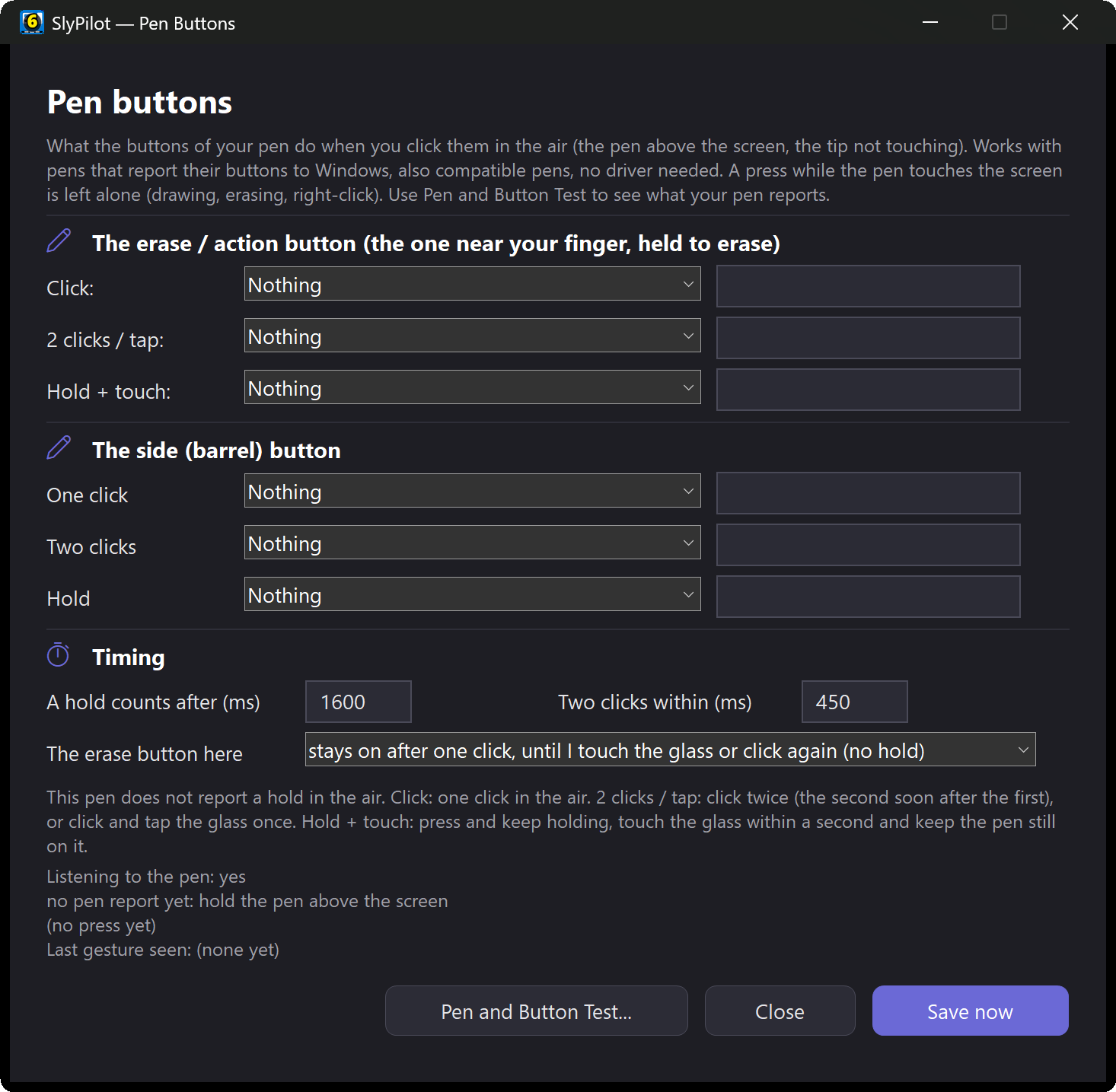
Driverless Pen Eraser & Side Buttons
Map your Surface Pen's erase/action button and barrel side button to single-click, double-click, and hold actions via Raw Input - no Bluetooth driver or F-key mapping needed.
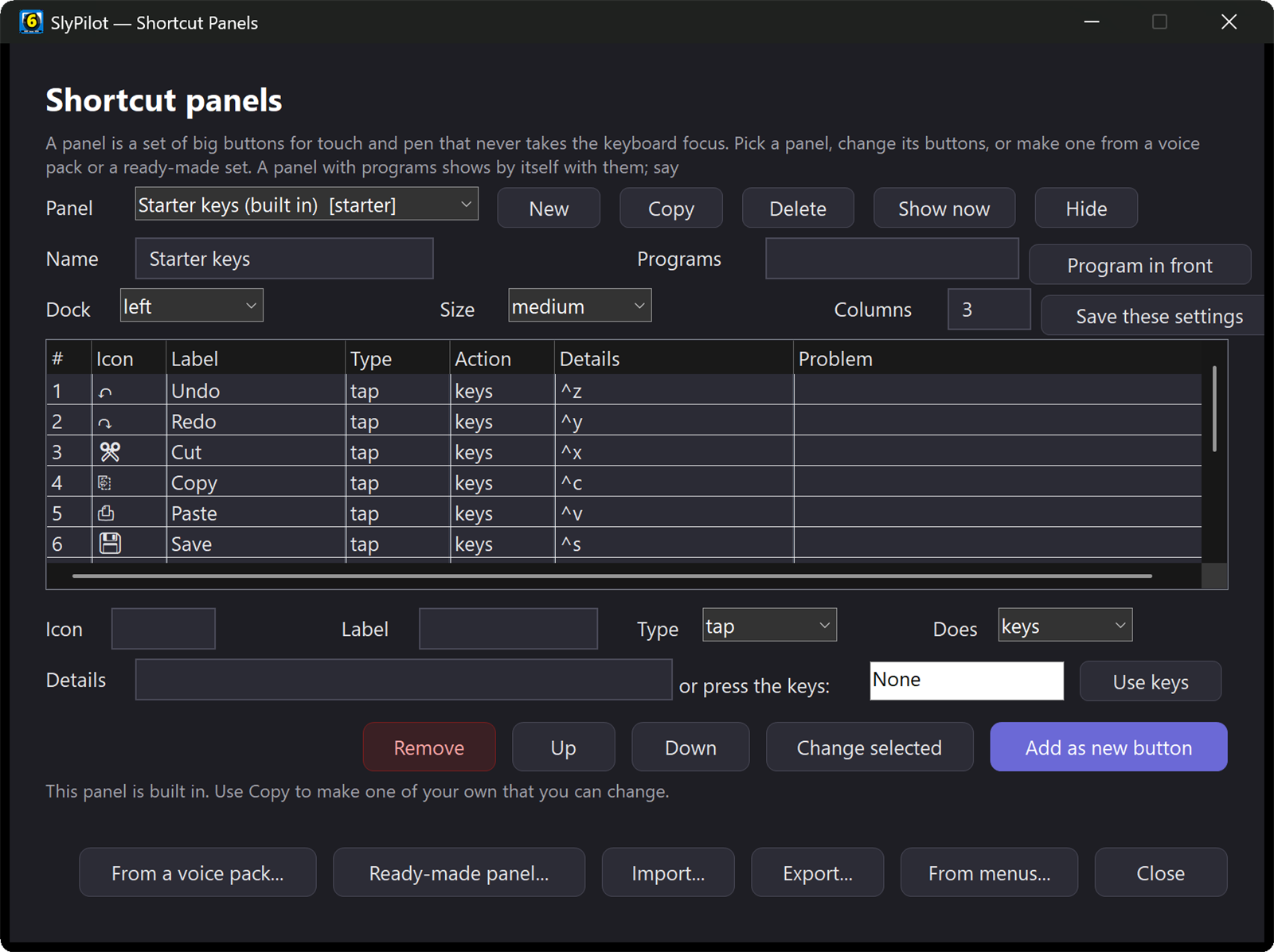
Drawing Board, Touch Magnifier, Gesture Pad & Hands-Free Tablet Control
Multi-Page Drawing Board
Draw directly over your live screen or on white, black, or grid boards with your Surface Pen or finger, with multi-page overview and PNG or PDF export.
Explore Drawing BoardFloating Multi-Touch Gesture Pad
Focus-safe on-screen trackpad window ('show gesture pad') with 1-finger pointer/drag, 2-finger scroll, pinch-to-zoom, 2-finger tap Undo, 3-finger tap Redo, and automatic Surface Pen palm rejection.
Explore Gesture PadTouch Magnifier & Pixel Loupe
Floating 6-button touch panel for Windows Magnifier plus SlyPilot's own magnifying glass, typing glass, edge strip, and pixel colour loupe with 5 colour filters.
Explore MagnifierPresenter Tools & Spotlight
Dim the screen around your pen or pointer, show tap and click rings, laser trail, live shortcut banner, and an on-screen countdown timer.
Explore Presenter ToolsPen Screenshots, OCR & Step Guides
Drag a region with your pen to capture, pin floating reference clips to your screen, copy text via offline OCR, or record automatic step-by-step guides (Pro).
Explore ScreenshotsWebcam Head Mouse & 550+ Voice Commands
Prop your Surface on its kickstand and control your PC hands-free with webcam head tracking, dwell click, and over 550 built-in voice commands.
Explore Head MouseReady to Transform Your Surface Experience?
Download the free core executable today - zero installation, zero admin rights, and zero cloud telemetry.