
Natural Voices & Neural Read-Aloud (TTS)
Give SlyPilot a voice you actually want to listen to. Natural offline voices replace the built-in Windows voices for SlyPilot's spoken replies ("Desktop
SlyPilot Pro. The natural voices are part of SlyPilot Pro, the optional one-time purchase. The free SlyPilot works without it: it speaks its replies and reads text aloud with the Windows voices. The natural voices are locked until you enter a licence: tray icon > Help and Backup > SlyPilot Pro... opens the window with the Buy button and a box for your licence key. The key is activated online once (no account), and Pro then works offline for up to 30 days between automatic renewals; an offline licence file works too.
Give SlyPilot a voice you actually want to listen to. Natural offline voices replace the built-in Windows voices for SlyPilot's spoken replies ("Desktop three", reminders), and let you have your PC read to you: an email, an article, a document, even text on a screen that cannot be selected, with pause, skip and speed controls.
The voices run on your PC, so what you read is not sent to a cloud service. They are downloaded once, one voice at a time, only after you agree to a window that lists every file, its size and its source. Natural voices are optional: until you set them up, the Windows voices keep working.
✨ At a Glance
| You want | You get |
|---|---|
| A nicer voice for replies | 45 English voices from three engines, American and British, women and men. |
| A PC that reads to you | Select text, press Ctrl+Alt+Shift+L. Or read the clipboard, or any text you drag a box around on screen. |
| Control while it reads | Pause, resume, next / previous sentence, faster, slower, stop, all with hotkeys, the tray menu or voice. |
| Different voices for different jobs | A quick voice for short confirmations, a rich one for long reading, another for reminders. |
| Your dictation read back | Say "read that back" to hear what you just dictated (needs AI dictation, also SlyPilot Pro). |
| Safe fallback | If the natural engine is still loading or fails, the Windows voice covers it, so nothing is lost. |
🎧 Three Offline Engines
The voices run in a small helper program that is part of SlyPilot Pro (SlyTts.exe, built on the open-source sherpa-onnx runtime). It starts when needed and frees its memory when idle.
                   ┌──────────────────────────────────────────────┐
                   │           SlyPilot speech manager            │
                   └──────────────────────┬───────────────────────┘
                                          │ text to speak (a small request file, deleted at once)
                                          ▼
                   ┌──────────────────────────────────────────────┐
                   │       Helper on your PC (SlyTts.exe)         │
                   └──────┬───────────────┬───────────────┬───────┘
                          │               │               │
                   ┌──────┴──────┐ ┌──────┴──────┐ ┌──────┴──────┐
                   │  Kokoro     │ │   Piper     │ │ Supertonic  │
                   │ 28 English  │ │ 7 English   │ │ 10 voices   │
                   │ voices      │ │ voices      │ │             │
                   └─────────────┘ └─────────────┘ └─────────────┘

Not ready yet, or a phrase the helper cannot speak? ──► the Windows voice speaks it instead| Engine | Voices | Download | Best for |
|---|---|---|---|
| Kokoro | 28 English (American and British) | about 334 MB, once, and it brings all 28 | The most natural sound, for long reading. The slowest and largest of the three; about 500 MB of memory while loaded. |
| Piper | 7 English | about 64 MB per voice | Small and quick. A good fit for laptops or slower processors; about 150 MB of memory while loaded. |
| Supertonic | 10 | about 81 MB for all ten | Fast short replies. |
Voice names include Bella, Heart, Michael (Kokoro) and Joe, Norman (Piper). The window says whether each is installed and what the download costs.
Licences are checked, too. Piper voices are offered only when the recording licence allows free use (public domain, CC0 or CC BY). Kokoro is Apache-2.0 and Supertonic's code is MIT with an OpenRAIL-M voice model. Full details are in the About window under Licences.
🚀 Set Up in Five Clicks
- Tray icon → Voice Commands → Voice Output (Natural Voices)...
- Choose Natural voices.
- Select a voice in the list and press Download the selected voice... Read the consent window (files, sizes, sources, licence), then confirm.
- Press Preview to hear it.
- Make sure Speak voice feedback aloud is ticked if you want spoken replies. (Reading aloud works even when that is off.)
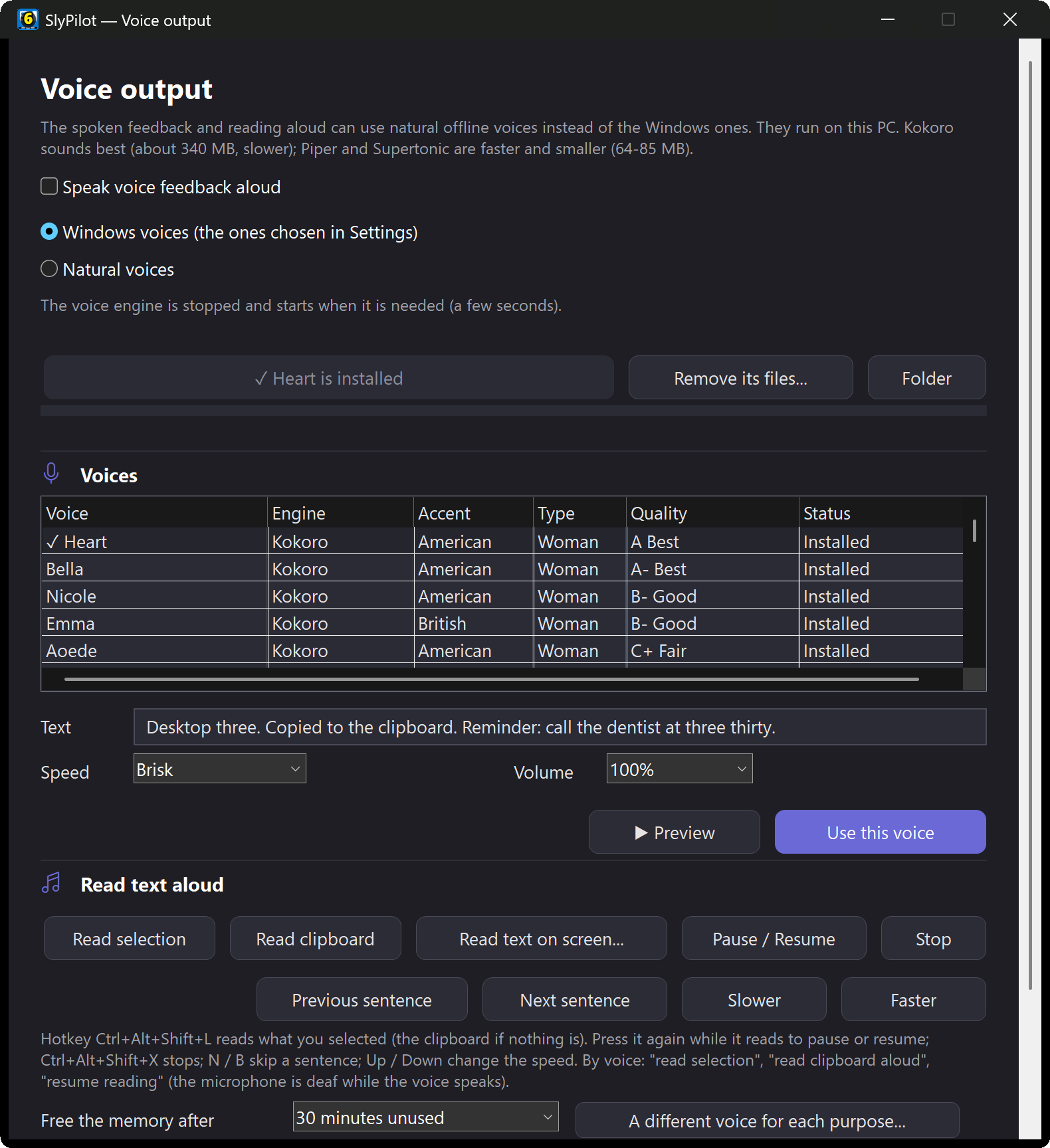
Switch voices any time by saying "use voice bella", or go back with "natural voices off". The same window removes a voice's files again (removing one Kokoro voice removes all 28; when the last voice is gone the whole folder is deleted).
🔀 A Different Voice for Each Purpose
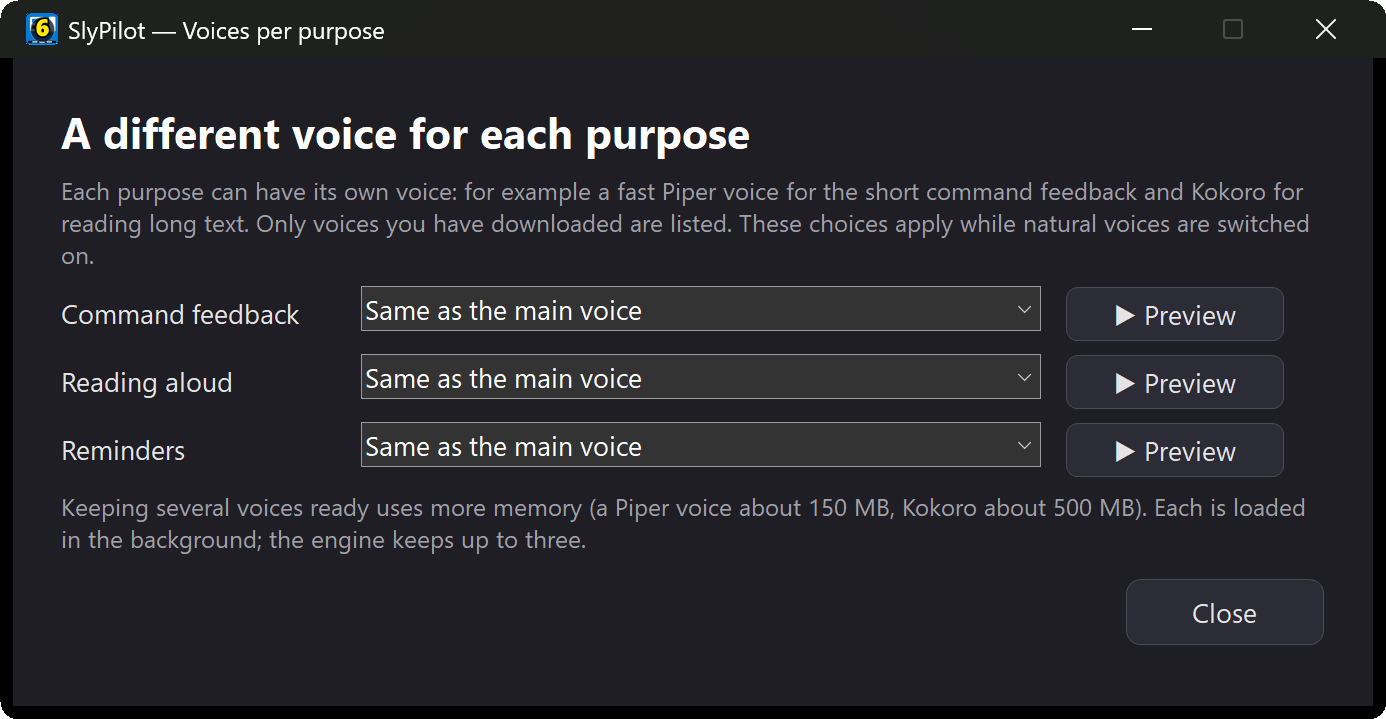
In Voice Output (Natural Voices) → A different voice for each purpose... you can give command feedback, reading aloud (and reading a dictation back) and reminders each their own voice. Only voices you have downloaded are offered, each row has a Preview, and the default for every purpose is "same as the main voice".
| Purpose | A sensible setup | Why |
|---|---|---|
| Command feedback | A small fast voice (a Piper voice, say) | Short confirmations like "Desktop 2" or "Muted". |
| Reading aloud | A Kokoro voice | Pleasant for a long article. |
| Reminders | The Windows voice, or a voice that stands apart | So a reminder is easy to tell from ordinary feedback. |
The engine keeps up to three models loaded and switches between them without reloading.
📖 Read Text Aloud
Turn long emails, documents and web pages into something you can listen to while you do something else.
  Read selection / pause / resume:  Ctrl+Alt+Shift+L
  Stop:                             Ctrl+Alt+Shift+X
  Next sentence / previous:         Ctrl+Alt+Shift+N  /  Ctrl+Alt+Shift+B
  Faster / slower (about 15%):      Ctrl+Alt+Shift+Up  /  Ctrl+Alt+Shift+Down
Three ways to read
- Read selection (
Ctrl+Alt+Shift+L, or say "read selection"): select text in most programs (browser, PDF viewer, Word, an editor) and press the shortcut. If nothing is selected, it reads the clipboard. Press it again while it speaks to pause and resume. - Read clipboard aloud ("read clipboard aloud", tray → Utilities → Read Aloud): reads the whole text on the clipboard.
- Read screen aloud ("read screen aloud", tray → Utilities → Read Aloud → Read Text From Screen..., or
SlyPilot.exe read-screen): drag a rectangle around any text, even in a picture, a video frame, a PDF you cannot select or a remote-desktop window. Windows' own offline OCR reads it and SlyPilot speaks it.
While it reads
- "next sentence", "previous sentence", "read faster", "read slower", "pause reading", "resume reading", "stop reading" work by voice, and so do the hotkeys and the tray menu. Speed changes apply to that reading only.
- A note on voice control while it speaks: the microphone is muted while a voice speaks so it does not hear itself. While it is paused the microphone is open again, so "resume reading" works by voice; to pause or stop mid-sentence, use the hotkeys (they always work).
What it will and will not read
- Up to 8,000 characters at a time.
- It does not read terminals (Ctrl+C would interrupt the program there: copy with Ctrl+Shift+C and say "read clipboard aloud") or protected windows such as password managers.
- It uses the natural voice when one is chosen, otherwise the Windows voice.
Text tidying
The text is cleaned up before it is spoken so it sounds right:
- Web addresses are spoken as "link" and email addresses as "email address".
- Markdown marks and emoji are dropped.
- Abbreviations and prices are read in full: "Dr." as "Doctor", "e.g." as "for example", "$5.50" as "five dollars and fifty cents".
🔒 Privacy
- Nothing is uploaded. The voices run in a helper on your PC. The only network use is downloading a voice once, after you click Yes.
- A small request file: the text to be spoken is handed to the helper through a request file in
%LOCALAPPDATA%\SlyPilot\Tts\run, which the helper deletes as soon as it has read it. - Never logged: what you read aloud, or hear, is not written to the diagnostics log.
- Memory is freed: if nothing has been read for a while (30 minutes by default, adjustable in the Voice Output window), the helper unloads its models.
💡 Good to Know
- While the engine is still loading (a few seconds after a long pause, or at start-up), the Windows voice covers the gap. That is normal.
- On a PC that is short of memory or speed, Piper or Supertonic is the better fit; the window says so.
- Reminders ("remind me in ten minutes") and the spoken answers of voice commands use the same voices.
Next Steps
- Voice commands & control → for "read selection" and the rest
- Everyday utilities: OCR, clipboard, timers →
- Offline AI speech & dictation → ("read that back")