
Memory: Find Anything You Read, Copied or Heard on Your PC Again
You read it last Tuesday. A paragraph in a long mail, a price on a web page, a sentence in a chat, a number somebody said in a call. You remember a word
You read it last Tuesday. A paragraph in a long mail, a price on a web page, a sentence in a chat, a number somebody said in a call. You remember a word or two, not where it was.
Press Ctrl+Alt+Space, type h budget invoice, and there it is: the page, the time, the program, the line. Press Enter and you are back in that moment. Or ask: "what did Nadia say the delivery date was?" and your own AI model answers from what you saw, and tells you where it found it.
That is Memory, part of SlyPilot Pro. It keeps the text of what you work with (never pictures of your screen), on your PC only, encrypted for your Windows account, and it is off until you switch it on.
What is free and what is Pro.
• SlyPilot Pro: Memory: capture, search, open again, copy, delete, Ask.
• Free: everything that decides what is never kept lives in the free, open-source core: the protected-window list, the private-window and password-manager checks, the excluded programs and sites. You can read exactly what it skips.
• Ask uses the AI model you set up in AI Actions Setup: a small model that runs on your PC is enough, and nothing leaves the PC with it.
   the window you work in ──┐
   text you copy ───────────┤        ┌─────────────────────────────┐
   live captions ───────────┼──────▶ │  Memory  (on this PC only)  │ ──▶  h budget invoice   →  the moment, the program, the line
   meeting notes ───────────┤        │  text only · one file a day │ ──▶  Ask: "when is the delivery?" → an answer + where it came from
   (dictation, if you ask) ─┘        │  encrypted for your account │
                                     └─────────────────────────────┘
   never: password managers · private windows · sign-in, bank and health pages · protected windows · remote desktops · your excluded programs and sites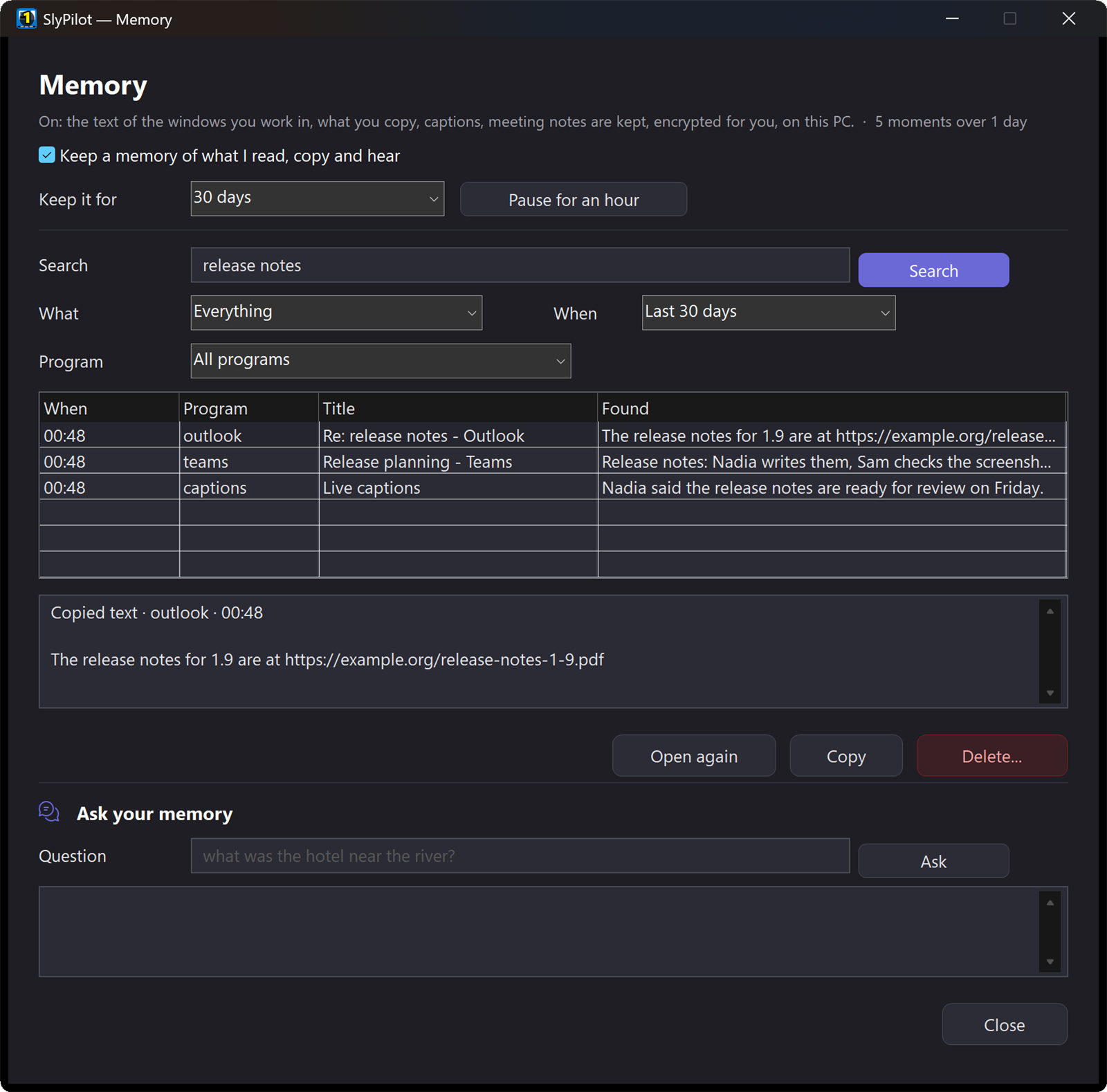
✨ At a Glance
| What you want | How Memory does it |
|---|---|
| Find a page, a mail or a chat by a word you remember | h <words> in the command palette, or the Memory window ("show my memory"). Every word must be in it; a phrase in quotes stays a phrase. |
| Narrow it down | By kind (window, copied text, captions, meeting), by period (today, this week, a month) and by program. |
| Go back to it | Open the moment again: the page's address opens the page, a document opens the document. Or copy the text. |
| Ask instead of search | Ask: your AI model answers from the lines it found and names the moment it used. |
| Keep it private | Text only, never a screenshot. On this PC only, encrypted for your Windows account, one file per day, kept 7, 30 or 90 days or until you delete it. |
| Stop it for a while | Ctrl+Alt+Win+O or "pause memory". A mode can switch it off too, and puts it back when the mode ends. |
| Forget something | Delete a moment, everything from one program, a whole day or everything, at any time. |
🧠 What It Keeps, Exactly
When you switch Memory on, a page tells you all of this first. It keeps:
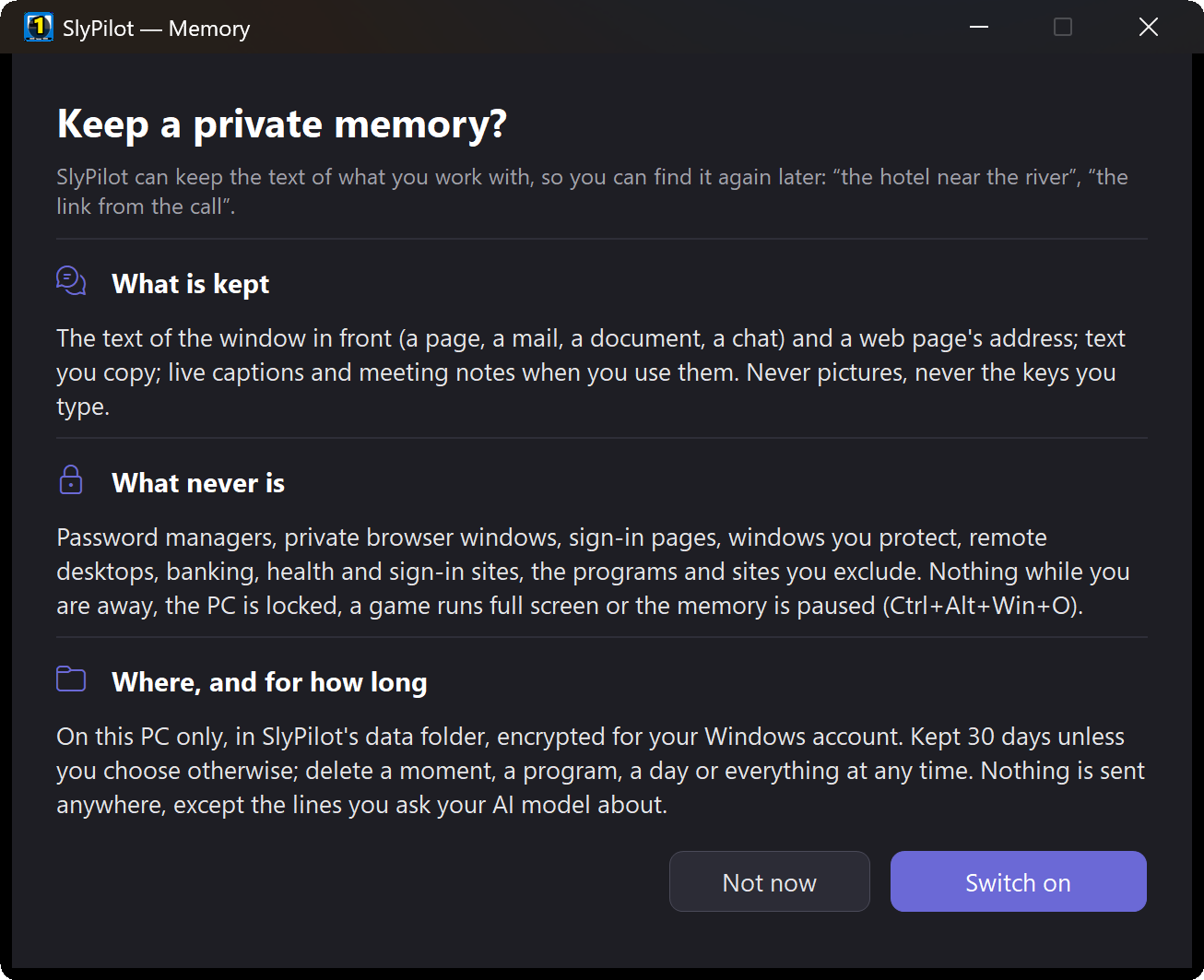
- The text of the window you work in, once it has been in front for a few seconds: the page you read and its address, the mail, the document, the chat. It reads the text the way a screen reader does (Windows' accessibility interface), so it gets real words, not pixels. It never takes a picture and never records keys.
- The text you copy.
- Live captions and meeting notes (also SlyPilot Pro): what was said in a call or a video becomes searchable with everything else.
- Your dictation, only if you add one line to the settings file (
[Memory] Dictation=1). Off by default: what you dictate is already in the document.
A window that has not changed is not kept twice: only new lines are added, and a clock or a counter that ticks is not "new".
🔒 What It Never Keeps
These rules live in the free core, where anyone can read them:
- Password managers, private browser windows and sign-in pages.
- Banking, health and sign-in sites.
- Windows you protect (the same protected list the AI agents respect) and remote desktops.
- The programs and sites you exclude (
[Memory] Exclude). - Nothing at all while you are away, while the PC is locked, while a game runs full screen, while a mode switches Memory off or while you pause it.
🔐 Where It Lives
- In the
Memoryfolder of SlyPilot's data folder, one file per day, encrypted with Windows' data protection for your Windows account. Another account on the same PC cannot read it; a copy of the file on another PC is unreadable. - Kept for 7, 30 (the default) or 90 days, or until you delete it. Deleting rewrites the files, so deleted text is really gone.
- The search index is built in memory when you first search and is never written to disk.
- Nothing goes to slypilot.com or anywhere else. There is no account and no cloud copy.
💬 Ask Your Memory
Search finds the moments. Ask answers the question: "what was the name of the hotel in that booking mail?", "which version did the release notes say fixed the crash?"
- Only the lines Memory found go to the model, never the whole memory.
- With a model on your PC (the small built-in one, Ollama, LM Studio), nothing leaves the PC.
- With a model outside your PC, you see the lines first, every time, and nothing is sent unless you press Send.
- The answer names the moment it came from, so you can open it and check.
🆚 Memory and Windows Recall
Windows Recall solves a similar problem in a different way: it keeps pictures of your screen every few seconds and runs only on Copilot+ PCs (with an NPU of 40+ TOPS and 16 GB of memory). SlyPilot's Memory keeps text, runs on any Windows 10 or 11 PC, and decides in open-source code what is never kept. Recall can find things that exist only as pictures; Memory cannot.
Memory vs. Recall, Rewind and Screenpipe, side by side →
✅ Good to Know
- It finds what it could read. Text inside pictures, videos or programs that do not expose their text to accessibility tools is not in Memory. Most browsers, Office, mail and chat programs expose it.
- It is a helper, not an archive. Memory keeps a moment's text for search, not a copy of every document version.
- It costs little. Reading the window in front takes a moment every few seconds while something changes; nothing runs while you are away.
- Switching it off stops it at once. Your kept days stay until they expire or you delete them.