
Settings Sync: The Same SlyPilot on Every PC You Use
You spent an evening making SlyPilot yours: Touch Bar buttons for Photoshop, twenty text expansions, a voice macro that opens your morning layout, the
You spent an evening making SlyPilot yours: Touch Bar buttons for Photoshop, twenty text expansions, a voice macro that opens your morning layout, the palette moved to another key, window rules for Outlook and Teams. Then you open your laptop and it's all at the defaults.
Settings sync fixes that. Choose a folder your PCs already share (OneDrive, Dropbox, a network folder) and SlyPilot keeps the settings that make sense everywhere in step through it. Change a snippet on your desktop; ten minutes later it's on your laptop. There's no account and no SlyPilot cloud: the folder is yours. Settings sync is part of SlyPilot Pro.
What is free and what is Pro.
• SlyPilot Pro: settings sync.
• Free: everything that decides what may travel is in the free, open-source core, so you can read the list. Backup Settings... and Restore Settings... (tray > Help and Backup) are free and move everything by hand.
   Desktop PC                    your shared folder                     Laptop
   ┌────────────┐              ┌──────────────────────┐              ┌────────────┐
   │ SlyPilot   │ ── changes ─▶│  SlyPilot Sync\      │◀─ changes ── │ SlyPilot   │
   │            │◀── newer ────│   one file a section │──── newer ──▶│            │
   └────────────┘              │   + your workspaces  │              └────────────┘
                               └──────────────────────┘
          (OneDrive, Dropbox or the network moves the files, as it does for your other files)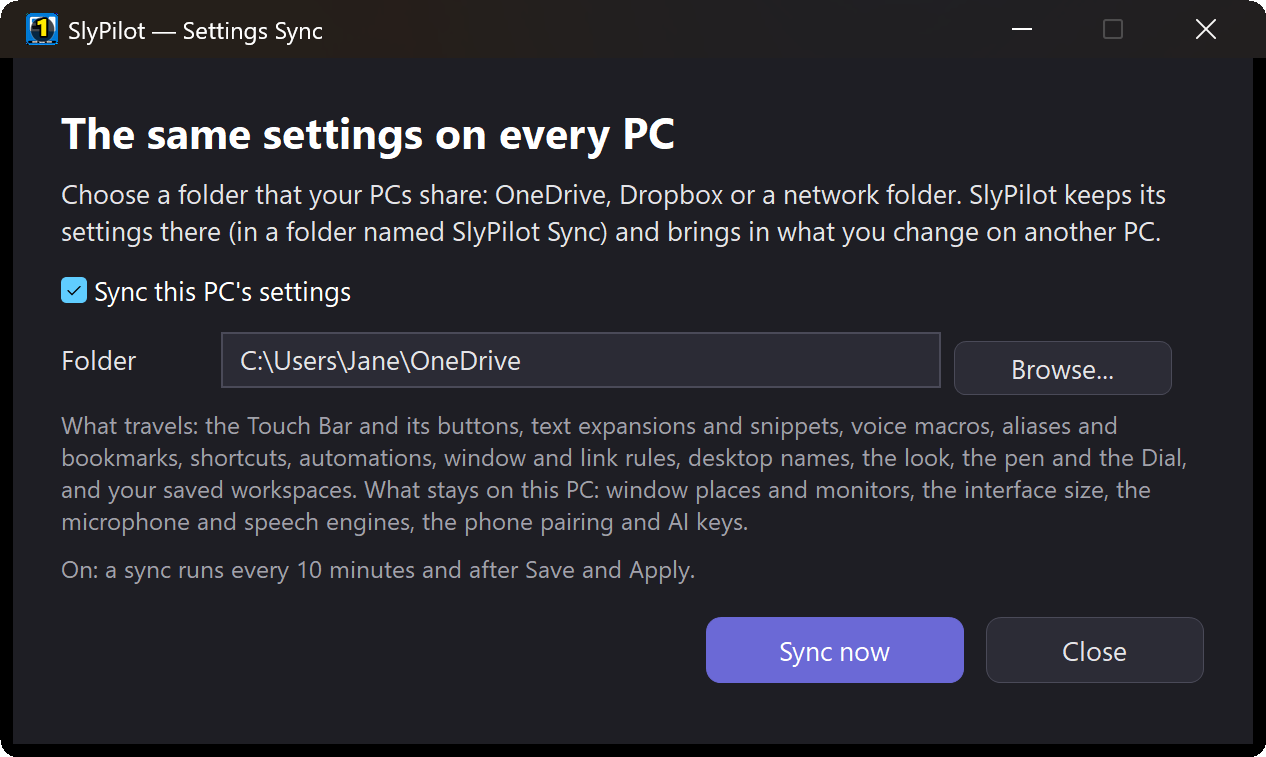
✨ At a Glance
| Switch it on | Tray > Help and Backup > Settings Sync... (or "show settings sync"), choose the folder, tick Sync this PC's settings. Do the same on your other PCs with the same folder. |
| When it syncs | Every 10 minutes, soon after you press Save & Apply in Settings, and whenever you say "sync my settings" or press Sync now. |
| When the same thing changed on two PCs | The later sync wins, and the window tells you it happened. |
| When settings arrive | They're saved at once. Most of SlyPilot reads its settings when it starts, so a small card offers Restart now (or Later). |
| A new PC joins | It takes the shared settings, so your new laptop becomes your SlyPilot in one sync. |
🧳 What Travels
The settings you'd want the same on every PC:
- the Touch Bar (its look and buttons) and its button sets per program
- text expansions, voice snippets, voice macros, aliases and bookmarks
- your keyboard shortcuts, automations, window rules, auto-routing and link rules
- desktop names, mouse gestures, the look (theme), the pen and the Dial
- breaks, tidy rules and the AI actions per program
- your saved workspaces (the files in the Workspaces folder; the newer copy wins, nothing is deleted)
🏠 What Stays on Each PC
The things that only fit one PC, on purpose:
- window places and monitor setups (a 4K desktop and a laptop screen need different ones)
- the interface size of that screen
- the microphone, the headphones and the camera
- the speech engines and models (a desktop with a graphics card and a laptop without one need different ones)
- the phone pairing, AI keys and the licence
- the last session's workspace of that PC
🔒 Privacy
- No SlyPilot cloud and no account. The files sit in the folder you chose, inside a subfolder named
SlyPilot Sync, with the name of the PC that wrote each one. Your sync service (OneDrive, Dropbox, …) moves them as it moves your other files. - Nothing that identifies devices or holds secrets travels: no keys, no pairing, no licence.
- To stop, untick Sync this PC's settings; delete the
SlyPilot Syncfolder to remove the shared copy.
✅ Good to Know
- Restart to use what arrived. The new settings are in place immediately, but most of SlyPilot reads them at start. The card offers the restart; Later is fine.
- Edit on one PC at a time if you can. If you change the same section on two PCs between two syncs, the later sync wins.
- Key remaps are not in the list yet: set them up on each PC (or copy the
[KeyRemap]lines). - It has been tested with simulated PCs sharing a folder; tell us how it does across your own.