
Hands-Free Windows Automation: Show Numbers, Voice Macros, Event Triggers & Office COM Workflows
Explore how SlyPilot's 'Show Numbers' UI overlay, 'Record What I Do' demonstration capture, conditional loops, native Excel/Word/VS Code COM macros, and event triggers automate repetitive Windows tasks hands-free.
Beyond Single-Step Voice Commands: True Desktop Workflow Automation
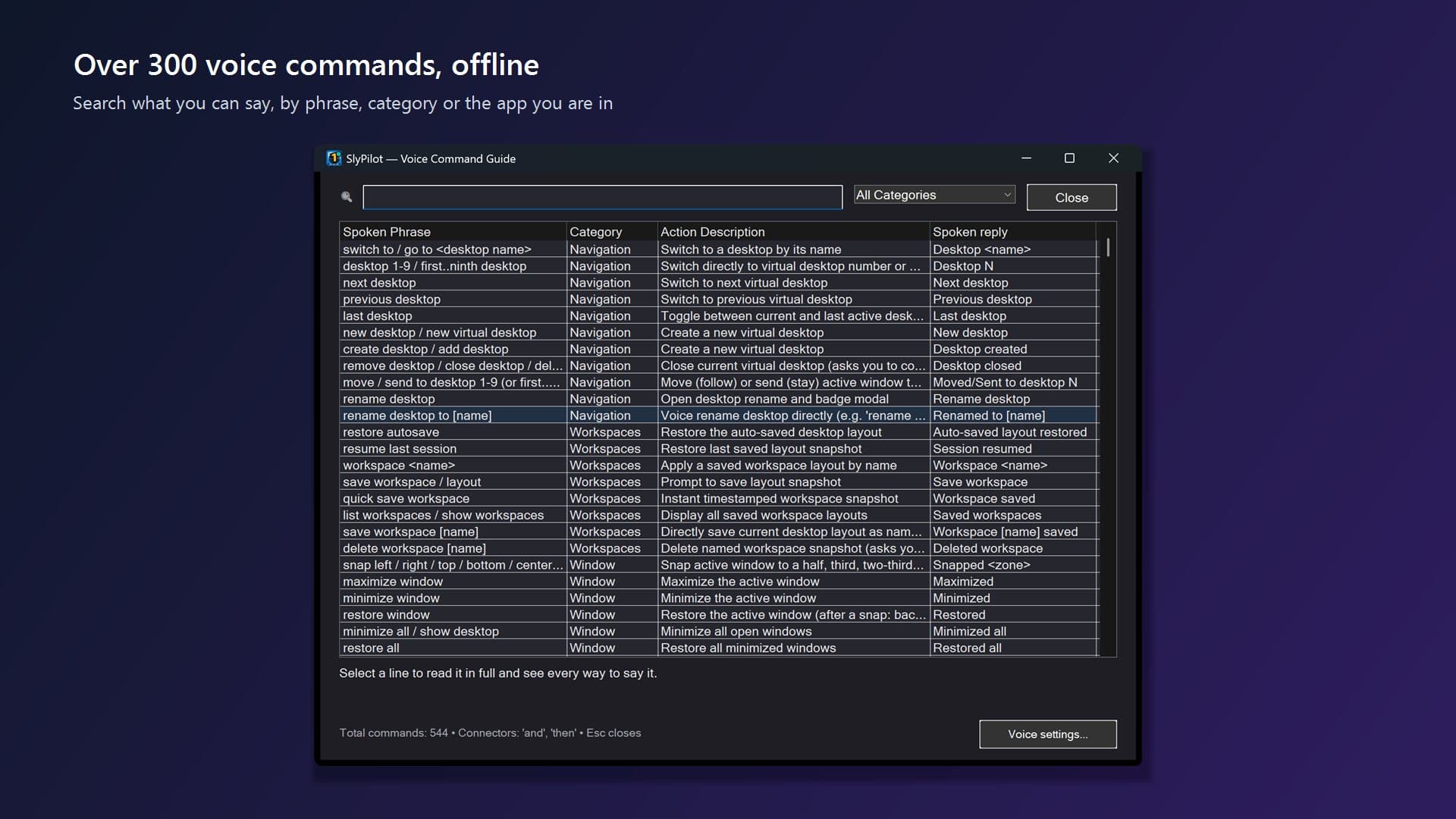
Most PC voice control tools stop at single keyboard shortcuts or basic window snapping. When your daily workflow involves clicking unlabeled icon buttons in a web app, copying rows from an Excel spreadsheet into a browser form, or organizing downloaded PDFs, you usually have to reach back for the mouse and keyboard. In SlyPilot, we expanded the free voice command engine (over 550 built-in commands and 7,700 spoken phrases) into a complete, deterministic automation studio.
'Show Numbers': Instant Numbered Badges on Every Clickable Control
What happens when a button or icon on screen has no visible text label? Simply say 'show numbers' (or narrow the overlay by saying 'show links', 'show buttons', or 'show fields'). SlyPilot queries the active window via Windows UI Automation (SlyUia.exe) and renders crisp yellow numbered tags over every interactive element. Speak the badge number aloud ('7' or 'click 7'), 'double click 7', or 'right click 7' to activate it immediately without touching the mouse.
'Record What I Do' & AI Macro Drafting - With Built-In Privacy Guards
Writing multi-step macros from scratch shouldn't require memorizing scripting syntax. Say 'record what I do' (or click the button in the Voice Library), perform your sequence of keyboard shortcuts and UI clicks in any application, and press Esc when finished. SlyPilot translates your actions into readable, resilient UI Automation steps (such as click:Save and key:^s) and opens them in the macro editor. By strict privacy design, plain typed characters and passwords are never recorded during demonstration capture.
Prefer to describe what you want in plain English? Click 'Describe a macro' in the Voice Library and type a goal like 'tile Chrome and Notepad side by side and mute the microphone'. Your configured AI model drafts a sequence of verified macro steps - rejecting any unknown or shell-execution commands - and places them in the editor so you can inspect them with Dry Run or Step Through before saving.
Control Flow, Native Office COM & Event-Driven Automations
SlyPilot voice macros support full control flow and data loops: wait for a window or on-screen text (waitwin:, waitfor:), branch with conditionals (if: / else: / end:), loop over lines in your clipboard or rows in a CSV file (foreach:clipboard, foreach:csv), and fill multi-field web forms in one step (fill:First Name=Ada;Last Name=Lovelace). Even better, macros talk directly to Microsoft Excel, Word, PowerPoint, and Classic Outlook via Windows COM (excel:get, foreach:excel, word:select paragraph, ppt:goto slide, outlook:draft) and to VS Code or Cursor via the command palette (editor:command Format Document).
Finally, the Automations tab lets you trigger any voice command or macro automatically on four system events: Time ('on at 09:00 weekdays'), Window ('on window Invoice'), Folder ('on folder Downloads *.pdf'), or Clipboard ('on clipboard https://'). Every event automation waits until your keyboard and mouse have been idle for 2 seconds and displays a 3-second countdown banner so you can press Esc to skip it anytime.
All 550+ voice commands, Show Numbers, Record What I Do, and Office/IDE macros are included in the Free Core: Download SlyPilot Free ($0) or browse the Voice Command & Macro Reference.
Comments
Leave a Comment
No comments yet. Be the first to share your thoughts!